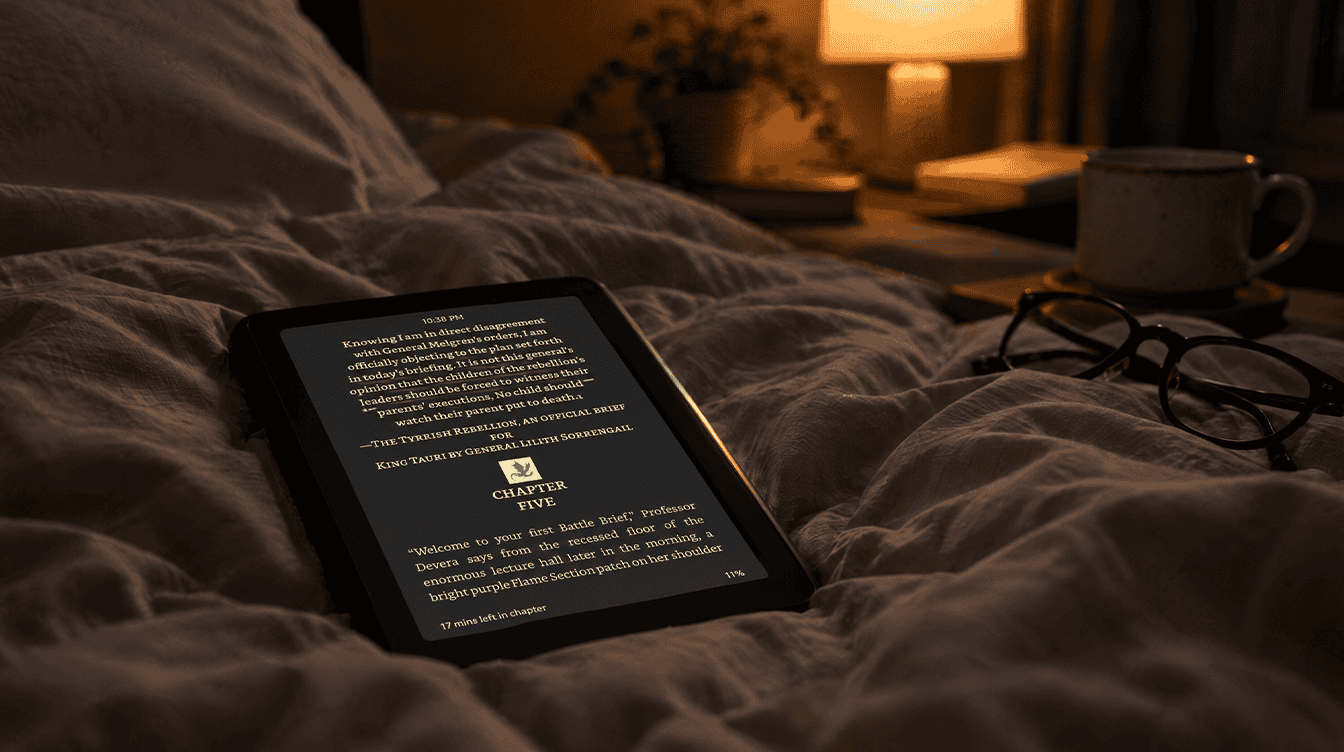
On October 9, 2026, Amazon gave two slightly different answers about the glow some owners are seeing on the new 6-inch base Kindle. If you have spotted kindle light bleed along the edges of your screen, usually as a bright line or soft halo next to the bezel, you are not imagining it. A common description from owners is a glow around the edges of the page in dark mode, which is exactly where the problem shows up most.
There are a few simple things to try before you box the e-reader back up, and a clear path to a replacement if your unit is one of the bad ones.
What kindle light bleed looks like on the 2026 model
Owners describe two versions of the issue: a thin dark shadow along one side of the display, or a brighter streak where the front light seems to leak near the frame. Both are easiest to notice with white text on a black background, and they get stronger as the brightness goes up.
The cause appears to be the way this year’s Kindle is built. Amazon redesigned it with a flush front, so there is no raised border around the reading surface anymore, and the touch layer and the front-lit panel now sit together under a protective glass layer. According to Good e-Reader, Amazon traced the glow mainly to that layering under the new flat bezel.
Which Kindles are seeing the glow
So far, reports of kindle light bleed point only at the standard 2026 Kindle. That model launched on October 1 at $149.99 for the 16GB version, with a 32GB aluminum-back version at $189.99, according to Amazon’s announcement of the new Kindle lineup.
- Affected: some batches of the base Kindle, across every color, in both the plastic Ube and Graphite models and the aluminum Alpine Sky and Seaglass Green models.
- Reportedly fine: the 2026 Kindle Paperwhite and Kindle Colorsoft.
- Unknown: how many units are involved, and which production dates or serial numbers to watch for.
5 things to try, easiest first
- Turn the brightness down in dark mode. This is Amazon’s own advice. The glow is strongest near maximum brightness, so dropping the light level a few notches often makes it fade into the background.
- Read in light mode at night. Black text on a white page hides edge leaks far better than the inverted look.
- Judge it in normal reading conditions. Look at the screen in a typical lamp-lit room with a medium brightness setting rather than in a pitch-black bedroom at full power. If the edge glow disappears during real reading, it may not be worth the hassle of a swap.
- Take a photo of the problem. Snap a picture with dark mode on and the brightness high, so support can see what you see. This saves a lot of back-and-forth.
- Ask Amazon for an exchange. If the leak is obvious at everyday settings, phone Amazon’s Kindle Warranty Support line at 866-321-8851 or start a live chat with support. Some buyers say Amazon shipped a replacement before the original unit went back.
None of these steps repairs a panel that leaks light. They either make kindle light bleed less visible or get you a different unit.
What Amazon has said about the problem
Amazon’s first response leaned toward calling it a fault:
Prominent light bleeding (especially in dark mode) is often considered a defect.
Amazon spokesperson
A short while later, the company shifted its tone. It described some glow as expected with the new bezel design, said it only shows up in specific situations such as dark mode at high brightness, and noted that “customers may see a glow around the edges of the book.” Its suggested fix was the lower brightness setting covered above.
Read together, the message is fairly clear. A faint halo at full brightness in a dark room is treated as normal for this design. Severe kindle light bleed on a brand-new unit is treated as a defect, and Amazon typically offers an exchange for that. Amazon has not said whether newer batches have been changed to fix it.
If you have not bought one yet
The base Kindle still offers a smaller body, up to six weeks of battery life and book opening Amazon says is 30% faster. If you read mostly in dark mode, check the screen on day one. Families who want a color screen for comics or picture books can look at our earlier take on the Kindle Colorsoft and whether it is worth the extra cost, since that model has not been part of these reports.
Frequently asked questions about Kindle backlight bleed
Is kindle light bleed normal?
A faint glow at the edges in dark mode at high brightness is something Amazon calls expected on the new base Kindle. A bright, obvious leak during normal reading is not, and Amazon typically offers an exchange for that.
Does the Kindle Paperwhite have light bleed?
Current reports focus on the standard 2026 Kindle. The 2026 Kindle Paperwhite and Kindle Colorsoft are reportedly not affected.
Does dark mode cause light bleed on a Kindle?
Dark mode makes the glow much easier to spot, and Amazon says it mostly appears in dark mode at high brightness. Lowering the brightness or reading in light mode makes it far less noticeable.
Should you swap your new Kindle or keep it?
If you only notice the glow with the light cranked all the way up in a dark room, turn it down and enjoy your books. If kindle light bleed is visible at the brightness you actually read at, ask Amazon for a replacement while your unit is still new. An e-reader is supposed to disappear in your hands, not remind you of its edges every page.