

Last Updated: January 2026 | Reading Time: 4 minutes | Author: First and Geek Editorial Team
Opera has released a significant update to its flagship browser, Opera One R3, introducing enhanced tab management, improved AI capabilities, and new aesthetic features. The update focuses on helping users organize their browsing sessions more effectively while delivering a more immersive experience through sound and visual enhancements.
Enhanced Tab Islands with Color Coding
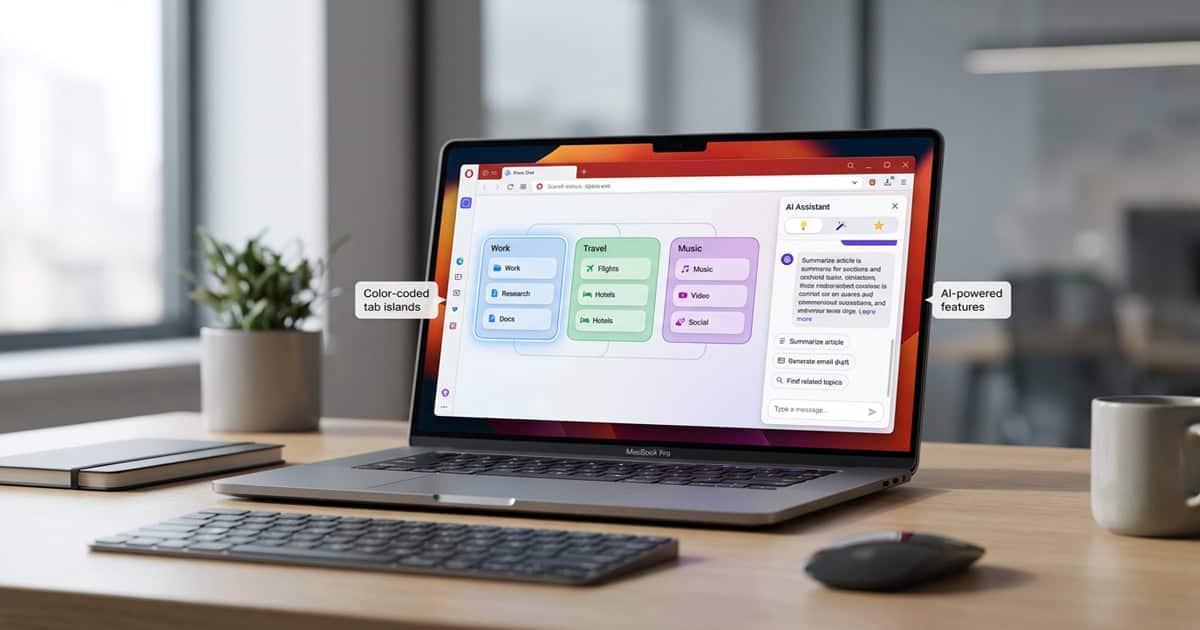
The standout feature in Opera One R3 is the improvement to Tab Islands, Opera’s automated approach to tab grouping. Users can now organize their browsing sessions with greater clarity by choosing from nine different colors and assigning custom names to each Tab Island. This makes it considerably easier to manage multiple projects or separate work from personal browsing without losing track of what’s where.
If you’ve ever found yourself drowning in browser tabs (and who hasn’t?), this kind of visual organization can be genuinely helpful. The ability to see at a glance which cluster of tabs belongs to which project is the kind of practical improvement that makes daily browsing less chaotic.
Upgraded AI Assistant with Context Awareness
Opera One R3 incorporates the agentic AI engine previously introduced in Opera Neon, reportedly delivering up to 20% better performance on AI-related tasks. What makes this particularly interesting is how Opera AI now understands Tab Islands as separate contexts. When you ask the AI assistant a question, it can focus on the content within a specific Tab Island without mixing information from other groups.
The AI assistant also gained the ability to understand YouTube videos, allowing users to ask questions about video content directly. This could be useful for quickly extracting information from longer videos without watching them in their entirety. Users who prefer not to have the AI analyze their tabs can disable this feature in the chat settings.
New Themes with Dedicated Soundscapes
Opera One R3 introduces three new dynamic themes designed to create what the company describes as “a beautiful visual and auditory experience.” Two of these themes, Radiance and Orbit, feature dedicated soundscapes that play while browsing. The third theme, called Sonic, was developed in partnership with Spotify and reacts dynamically to songs playing through Opera’s integrated player.
Whether ambient soundscapes enhance or distract from browsing will depend entirely on personal preference and work style. For some users, background audio might help create a more focused environment. For others, it might be the first thing they turn off. The good news is that these are optional features rather than mandatory changes.
Additional Features and Integration
The update brings deeper integration with Google services, adding Gmail and Google Calendar directly to the browser’s sidebar. This puts email and scheduling within easy reach without requiring separate tabs or windows.
Opera has also introduced an “early bird mode” that merges the beta program into the main browser. Users who activate this mode gain access to experimental features currently in development, including a four-way split screen view. This approach lets more adventurous users test upcoming functionality while keeping the standard experience stable for those who prefer it.
First and Geek Verdict
Opera One R3 delivers practical improvements to tab management alongside more experimental features like themed soundscapes. The color-coded Tab Islands address a real pain point for anyone managing multiple projects or research sessions, and the context-aware AI assistant shows promise for users who want browser-integrated help without information getting mixed up across different tasks.
The aesthetic additions like soundscapes and dynamic themes won’t appeal to everyone, but they demonstrate Opera’s willingness to try different approaches to the browsing experience. The deeper Google services integration is welcome for users invested in that ecosystem, though it may feel less relevant to those using alternative email and calendar services.
Overall, Opera One R3 represents a solid incremental update that prioritizes organization and usability while adding optional features for users who want something beyond standard browsing. If you’ve been curious about Opera or are looking for better tab management in your current browser, this update is worth exploring.