
Last Updated: February 2026 | Reading Time: 5 minutes | Author: First and Geek Editorial Team
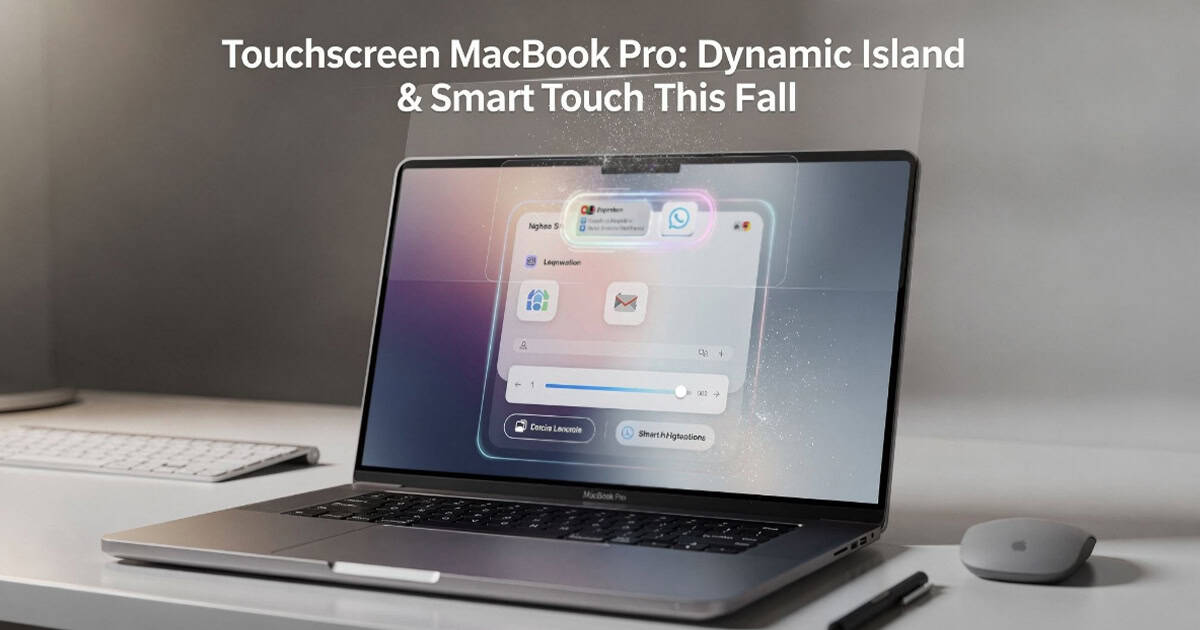
Apple is reportedly preparing its most significant MacBook Pro redesign in years, bringing both touchscreen functionality and the Dynamic Island feature from iPhone to the Mac. Based on recent reports, these changes are expected to launch this fall and represent a thoughtful approach to adding touch capabilities rather than simply retrofitting existing hardware.
Dynamic Island Makes the Jump from iPhone to Mac
The MacBook Pro has featured a notch since 2021, but unlike the iPhone’s notch that enabled Face ID, the Mac version served only to house the camera without offering additional functionality. That’s expected to change with the upcoming refresh.
According to recent reporting, Apple plans to introduce the Dynamic Island to the MacBook Pro, built around a smaller, hole-punch-sized cutout for the camera. This implementation would reportedly be more compact than the pill-shaped cutout found on current iPhone Pro models.
For those unfamiliar, the Dynamic Island provides real-time information in an interactive format at the top of the display. On iPhone, it shows everything from music playback controls and timer countdowns to flight information and ride-sharing updates. The feature transforms what could be dead screen space into something genuinely useful.
Thoughtful Touch Implementation for macOS
The touchscreen capability appears to be more than just enabling finger input on existing macOS interfaces. Apple is reportedly developing specific optimizations to make touch interaction feel natural and purposeful on the Mac.
Expected touch-specific features include:
- Context-aware menus that appear around your finger when touching buttons or controls, offering relevant touch commands
- Adaptive controls that display based on previous interactions
- Enlarged menu bar items when tapped, making them easier to select with a finger
- Interface elements designed specifically for touch rather than just accepting finger input on mouse-designed controls
This approach suggests Apple is taking time to rethink how macOS should respond to touch input rather than simply enabling the hardware and hoping existing interfaces work well enough.
What We Don’t Know Yet
While the reported software optimizations are encouraging, several questions remain about the hardware implementation. Adding a touchscreen to a laptop typically requires design compromises, and it’s unclear how Apple will handle these challenges.
Potential concerns include:
- Impact on battery life from the additional display technology
- Thermal management changes needed to accommodate touch hardware
- Overall device weight and thickness modifications
- Display hinge design to support frequent touch interaction
- How the experience will differ from iPad with keyboard
The touchscreen MacBook Pro is also expected to feature OLED display technology, which would represent another significant upgrade from the current mini-LED panels.
Timeline and Other MacBook Pro Updates
The touchscreen MacBook Pro models are reportedly planned for a fall 2026 launch. However, Apple is still expected to release updated MacBook Pro models with M5 Pro and M5 Max chips as early as March 2026, maintaining the current design without touchscreen capabilities.
This staggered release strategy would give professionals who need updated processors an upgrade path while allowing Apple additional time to refine the touchscreen experience for the more comprehensive redesign later in the year.
The Broader Context of Touch on Mac
Apple has long resisted adding touchscreens to Mac computers, with executives previously arguing that vertical touchscreens lead to arm fatigue and that the Mac’s interface is optimized for indirect input through a trackpad or mouse.
The company’s apparent change in direction likely reflects several factors. The success of touch-capable Windows laptops has demonstrated market demand. Apple’s own iPad has proven that the company can design excellent touch interfaces. And the computational power of Apple Silicon chips provides headroom for the additional processing requirements of touch input.
The key difference in Apple’s approach appears to be the software optimization. Rather than just enabling touch as an alternative input method, the reported interface adaptations suggest Apple is treating touch as a complementary interaction model that works alongside trackpad and keyboard input.
What This Means for Mac Users
For current MacBook Pro owners, these changes don’t necessarily mean your device is suddenly outdated. The fundamental experience of using a Mac isn’t changing, and touchscreen capability will likely be most useful for specific tasks rather than replacing traditional input methods entirely.
Touch is probably most practical for:
- Quick interactions like dismissing notifications or adjusting media playback
- Photo and video editing where direct manipulation feels natural
- Casual browsing when you’re leaning back from the keyboard
- Creative work in apps optimized for touch input
It’s less likely to replace the precision of a trackpad for extended work sessions or detailed cursor control.
FAQ
Q: Will the touchscreen MacBook Pro work with Apple Pencil?
A: This has not been confirmed. Current reports focus on finger touch input, but given Apple’s investment in Apple Pencil technology for iPad, stylus support could be possible in future iterations.
Q: Will older MacBook Pro models get Dynamic Island through software updates?
A: No, the Dynamic Island requires specific hardware implementation around the camera cutout that older models don’t have. This feature will be exclusive to new hardware.
Q: How much more will the touchscreen MacBook Pro cost?
A: Pricing has not been announced. Touchscreen and OLED display technology typically add to manufacturing costs, but whether Apple will pass those costs to consumers or maintain current pricing remains to be seen.
Q: Will this blur the line between MacBook Pro and iPad Pro?
A: The devices will likely remain distinct. The MacBook Pro runs macOS and is designed as a laptop first with touch as a supplementary input method, while iPad Pro runs iPadOS and is designed as a touch-first device that can work with keyboard accessories.
First and Geek Verdict
The reported approach to bringing touchscreen capability to the MacBook Pro suggests Apple is taking this transition seriously. Rather than simply checking a feature box, the company appears to be thoughtfully considering how touch should work on a Mac and adapting the software accordingly.
The addition of Dynamic Island is particularly welcome, finally giving the notch a purpose beyond just housing the camera. If implemented well, it could bring the same kind of at-a-glance information utility that makes the feature so popular on iPhone.
That said, questions remain about the practical implementation. Battery life, thermals, and overall device design are all important factors that will determine whether the touchscreen MacBook Pro is a meaningful improvement or an unnecessary complication. We’ll reserve final judgment until we can test the actual hardware, but the early indications are more promising than previous touchscreen Mac rumors have been. As always with unannounced Apple products, treat timelines and features as tentative until official confirmation arrives.