
Last Updated: February 2026 | Reading Time: 4 minutes | Author: First and Geek Editorial Team
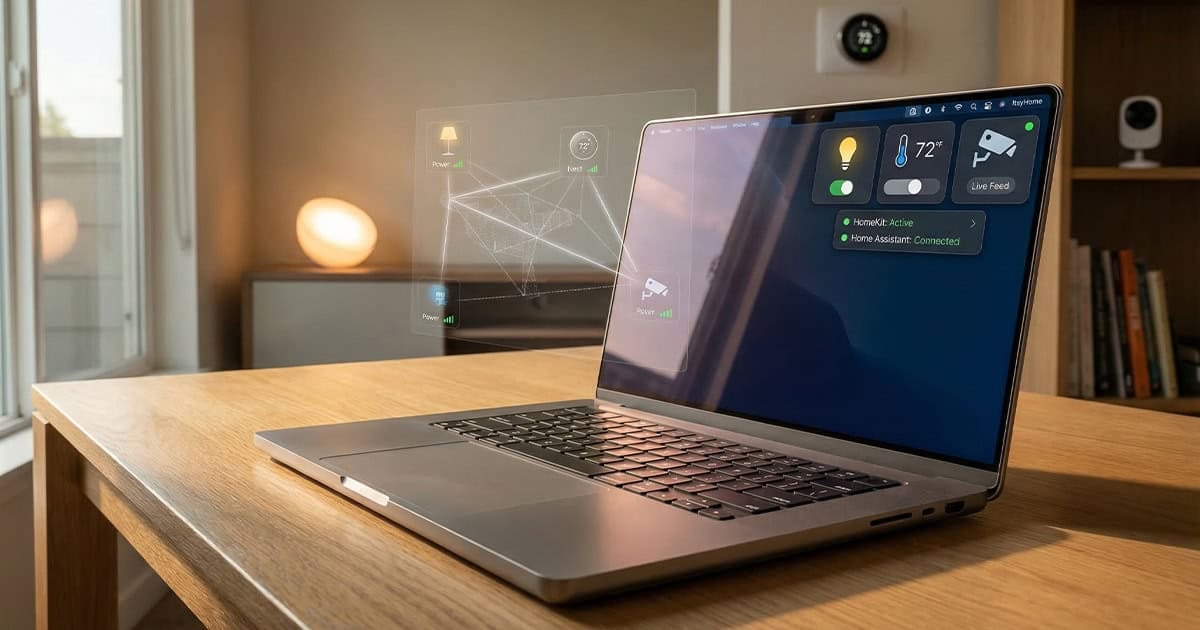
If you spend most of your workday on a Mac and find yourself constantly reaching for your phone to adjust smart lights or check a camera feed, there’s now a simpler solution. ItsyHome is a menu bar app that puts your entire smart home ecosystem within reach, supporting both HomeKit and Home Assistant without requiring you to launch Apple’s Home app every time.
What ItsyHome Does
ItsyHome lives in your Mac’s menu bar and provides quick access to all your smart home devices. Rather than forcing you into a single ecosystem, the app supports both Apple’s HomeKit platform and Home Assistant, making it a flexible choice whether you’re all-in on Apple hardware or prefer more open smart home solutions.
The app organizes your devices by room, making it easy to find exactly what you’re looking for without scrolling through an endless list. You can control lights, adjust thermostats, manage fans and air conditioners, lock and unlock doors, and view camera feeds, all from a single interface that’s always just a click away.
Customization and Organization
One of ItsyHome’s strengths is how much control it gives you over how your devices appear. You can rearrange rooms and individual devices to match your priorities, create custom groups for batch control of multiple devices at once, and pin your most frequently used devices to the top of the menu for instant access.
If you have devices you rarely need to control from your Mac, you can hide them from the menu to reduce clutter. This flexibility means the app can adapt to your specific workflow rather than forcing you to work around its limitations.
Advanced Features for Power Users
Beyond basic smart home control, ItsyHome includes several features that make it particularly useful for those who want deeper integration with their Mac setup.
Keyboard Shortcuts and Stream Deck Support
You can assign keyboard shortcuts to your most important devices, letting you toggle lights or adjust your thermostat without even opening the menu. For users with an Elgato Stream Deck, ItsyHome offers native integration, putting physical buttons at your fingertips for controlling your smart home.
Apple TV Remote
Perhaps one of the most unexpected features is the built-in Apple TV remote. If you have an Apple TV connected to a display near your Mac, you can control it directly from ItsyHome without reaching for a physical remote or opening another app on your iPhone. The app even includes an app launcher, so you can jump directly into your streaming apps without navigating the Apple TV home screen.
Pricing and Availability
ItsyHome is available on the Mac App Store for Macs running macOS 14.0 Sonoma or later. The app offers a free version with basic functionality, but unlocking the full feature set requires a one-time purchase of $12.99. This unlocks camera viewing, iCloud sync across your Macs, and webhook integration for more advanced automation.
Notably, there’s no subscription involved. You pay once and own the features permanently, which is increasingly rare in today’s app landscape.
Open Source Development
For those who appreciate transparency or want to contribute to the project, ItsyHome is fully open source. The complete source code is available on GitHub, allowing anyone to inspect how the app works, suggest improvements, or even build their own version if they prefer.
FAQ
Q: Does ItsyHome work with smart home devices outside of HomeKit?
A: Yes, ItsyHome supports Home Assistant in addition to HomeKit, giving you access to a much broader range of smart home devices and platforms.
Q: Can I use ItsyHome on multiple Macs?
A: Yes, the paid version includes iCloud sync, which allows your settings and customizations to sync across all your Macs.
Q: Is the one-time payment per Mac or per account?
A: Since ItsyHome is distributed through the Mac App Store, the purchase is tied to your Apple ID and can be used on any Mac where you’re signed in.
First and Geek Verdict
ItsyHome fills a genuine gap for Mac users who want quick access to their smart home without constantly switching to their phone or opening a separate app. The support for both HomeKit and Home Assistant makes it genuinely platform-agnostic, and the customization options mean it can adapt to virtually any workflow. The addition of keyboard shortcuts, Stream Deck integration, and an Apple TV remote goes beyond what you might expect from a simple menu bar utility.
At $12.99 for lifetime access to all features, the pricing is reasonable, especially considering there’s no ongoing subscription. The free version lets you test the basic functionality before committing, and the open-source nature adds an extra layer of transparency and trust. If you’re a Mac user with a smart home setup, ItsyHome is worth trying to see if it streamlines your daily routine.