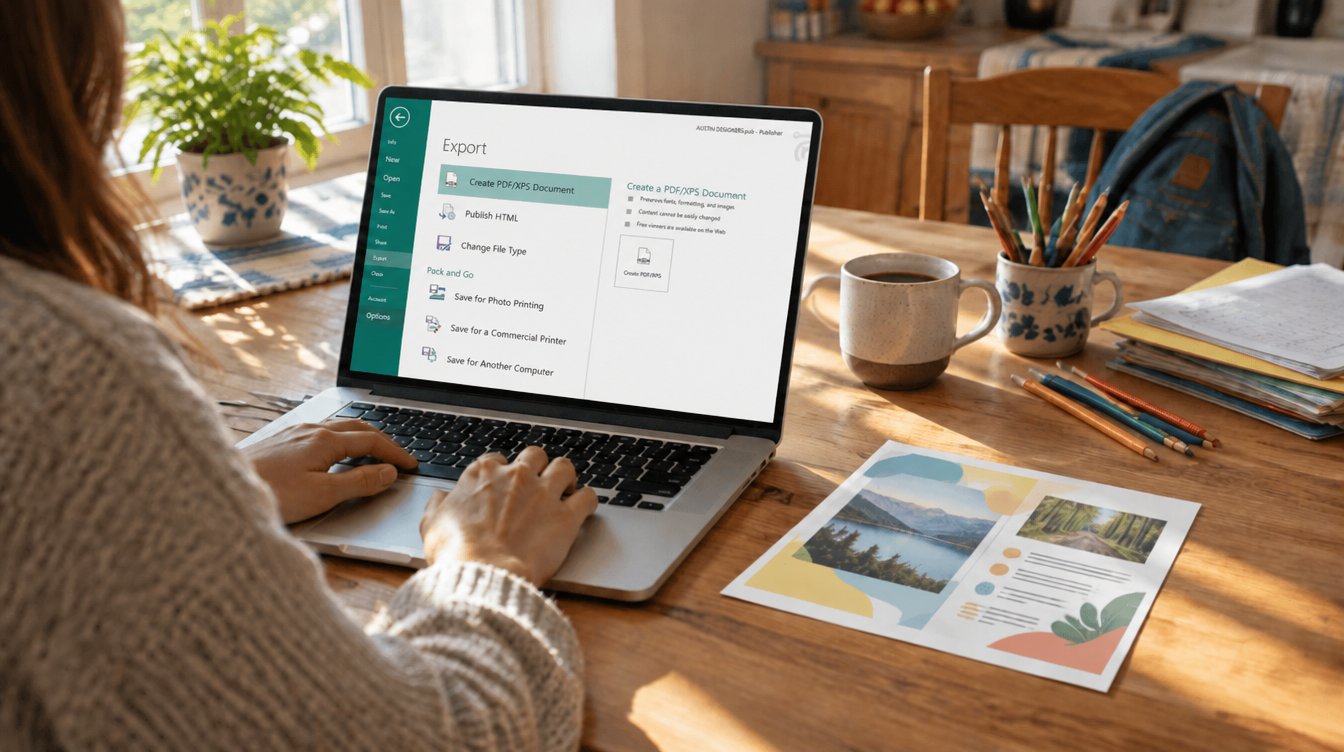
Last year, reopening the church newsletter, the soccer team roster or the bake sale poster meant one double-click on a .pub file. This fall, that double-click can end in an error for Microsoft 365 subscribers, and the easiest way to open publisher files without publisher is a free program called LibreOffice.
Microsoft’s own Publisher page states the app “will be retired in October, 2026.” On October 14, The Document Foundation, the nonprofit group that makes LibreOffice, said subscribers have lost the ability to open PUB files and pointed them to LibreOffice Draw. Rescuing an old .pub file costs nothing.
Why so many families need to open publisher files without publisher
Publisher never had the fame of Word or Excel, yet it quietly ran a lot of everyday life: PTA flyers, holiday letters, club menus, yard sale signs. The Document Foundation points out that schools, associations, small businesses and local councils have relied on it for decades, which means plenty of those files now sit on family laptops and in old email threads.
Microsoft’s answer is conversion. According to The Document Foundation, the company suggests turning PUB files into PDFs if you only need to view or print them, or into Word documents if you need to make changes. Both routes have a weak spot. A PDF is awkward to edit, and Word was never built for page layout, so a flyer packed with text boxes, columns and photos can come out scrambled.
A program that reads the original file directly avoids that mess. That is why the smarter move is to open publisher files without publisher in a layout app instead of forcing them into Word.
What you need before you start
| Option | Cost | Best for |
|---|---|---|
| LibreOffice Draw | Free | Opening, editing and re-saving single-page or short multi-page files like newsletters |
| Scribus | Free | People who already do serious page layout work |
| Publisher, if a PC in the house still runs it | Already paid for | Exporting your keepers to PDF while you still can |
To open publisher files without publisher, you also need the .pub file saved on your computer itself. If it lives only as an email attachment or inside a shared drive, download it to your Documents or Desktop folder first.
LibreOffice installs on Windows, on both Intel and Apple silicon Macs, and on Linux. The current release, LibreOffice 26.8.1, landed on October 8, 2026.
4 steps to open publisher files without publisher in LibreOffice
- Install LibreOffice. Grab the version for your computer from the official LibreOffice download page. The full suite includes Draw, so there is nothing extra to add.
- Launch LibreOffice Draw. Draw is the drawing and layout app in the suite, and The Document Foundation names it as the quickest route for viewing and editing these files.
- Choose File > Open and pick your .pub file. Behind the scenes, LibreOffice relies on libmspub, a free import library from the Document Liberation Project, to read the Publisher layout.
- Save a copy you can reuse. Use File > Save As and keep LibreOffice’s own ODF format for future edits. For something to print or text to other parents, go to File > Export As > Export as PDF.
Once you can open publisher files without publisher, resist the urge to delete the originals. Keep each .pub file next to the new copies. If an import ever looks off, you still have the source to try again later.
Example uses around the house
- “Change the date on last spring’s bake sale flyer.” Open it in Draw, edit the text box, then export a fresh PDF for the school group chat.
- “Print another copy of Grandma’s holiday letter template.” Open, swap the photo, and print straight from Draw.
- “Send the team roster to a parent who uses a Mac.” Export a PDF so nobody on the other end has to install anything.
- “Keep the club newsletter going next year.” Save each issue in ODF so the layout stays editable without any Microsoft app.
Can you open publisher files without publisher on a Mac?
Yes. Mac owners tend to hit this problem from the other side: a .pub attachment shows up from a coach or a church office, and it is not obvious what will open it. Because LibreOffice ships a macOS version, the four steps above work the same way on a MacBook or iMac.
If you only need to read the file once, exporting a PDF and closing Draw is enough. Mac users who receive these files every month should save an ODF copy too, so future edits stay easy.
Limits and privacy to keep in mind
The format was reverse-engineered. Any tool that can open publisher files without publisher is working from an outside reading of the format. Microsoft never released PUB as an open standard, so the Document Liberation Project had to work it out on its own. Compare each page with an old printout or PDF before you send anything, since a missing font on your computer can nudge text around.
Draw fits short documents best. The Document Foundation describes it as a good match for single pages and small multi-page files such as newsletters. A long booklet may take more cleanup.
Scribus is a second option. It can also import PUB files, though The Document Foundation notes it does not save to a standard document format, so your edited copy will be tied to Scribus.
Skip the random upload sites. Plenty of websites claim they can open publisher files without publisher. Many of these free online tools promise to convert a Publisher file to PDF, but they require sending your file to someone else’s server. A desktop app keeps the class list or the family address labels on your own computer.
Still have Publisher on an old PC? Export now
Microsoft says it will keep Publisher’s “availability, accessibility, and security” in place through retirement, and its product page still lists Publisher 2021 as a one-time purchase. Microsoft’s page does not spell out how long standalone copies will keep working after October, so treat any machine that still launches Publisher as a short-term export station. LibreOffice will still be there later, but the original app gives the most faithful export.
Save the files you care about as PDFs, then back up the original .pub files to the cloud. If storage is getting tight, our look at how Microsoft 365 Family storage is shrinking covers what changed. To stitch a stack of exported flyers into one document, see our guide to merging PDF files.
Frequently asked questions about Publisher files
Can LibreOffice open Publisher files?
Yes. LibreOffice reads .pub files through the libmspub import library, and LibreOffice Draw is the quickest place to view and edit them.
Is Microsoft Publisher being discontinued?
Yes. Microsoft’s Publisher page says the app will be retired in October 2026, and The Document Foundation reports that PUB files no longer open for people on a Microsoft 365 plan.
How do I convert a Publisher file to PDF for free?
Open the file in LibreOffice Draw and choose File, Export As, then Export as PDF. It costs nothing and the file never leaves your computer.
Should you move your old flyers to LibreOffice?
If your family, school group or club has years of .pub files, install LibreOffice this week and convert the ones you reuse into ODF and PDF copies. Anyone who opened Publisher once a year to print a single flyer can stop at a PDF and move on. Either way, the easiest time to open publisher files without publisher is before you urgently need next month’s newsletter.