
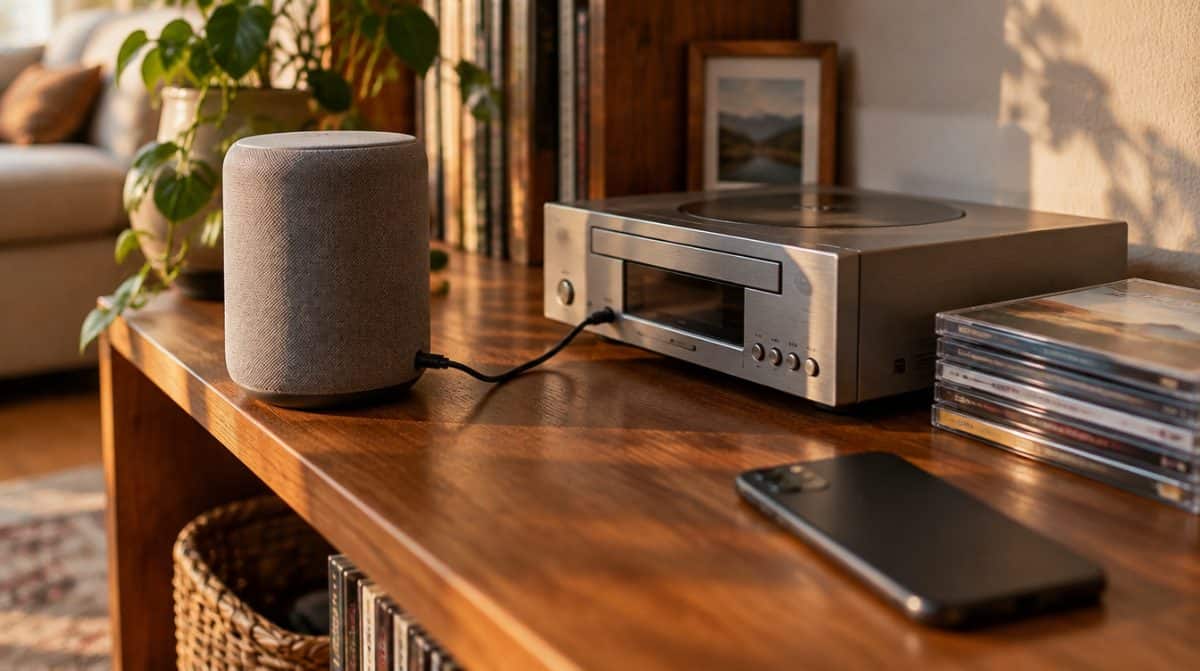
Alexa AUX input not working when you ask for it out loud? Your speaker is probably fine. Amazon has switched off the voice controls for AUX on several older Echo speakers, but the port itself still plays whatever you plug in.
The quick fix is to stop asking and start tapping. Open the Alexa app, set the speaker’s AUX Audio option to Line In, then press play on the CD player, turntable or other gear connected to it.
Why you may find your Alexa AUX input not working
Two phrases have stopped doing anything on the affected speakers: “Alexa, play from line in” and “Alexa, set AUX input”. Amazon emailed affected customers in mid-September 2026, and the change took effect on October 5, 2026.
That is the whole of it. Nothing about the jack was removed, so audio still travels over the cable. What went away is the convenience of switching to it hands-free, which is a real loss if your Echo sits across the room from your stereo.
Which Echo speakers lost AUX voice control
Engadget lists four models, and some reports add the Echo Link. The table below also shows what each jack can do, because a port that only sends sound out will never accept it, voice commands or not.
| Speaker | Year | What the jack does | AUX voice commands |
|---|---|---|---|
| Echo Plus (2nd gen) | 2018 | Input and output | Removed |
| Echo (3rd gen) | 2019 | Input and output | Removed |
| Echo Studio (original) | 2019 | Input only | Removed |
| Echo (4th gen) | 2020 | Input and output | Removed |
| Echo Dot (3rd and 4th gen) | – | Output only | Not on the list |
| Echo Dot (5th gen) | – | No 3.5mm jack | Not on the list |
4 things to try, easiest first
Work through these in order if you still have your Alexa AUX input not working after giving up on voice commands.
- Confirm your jack accepts sound. Check the table first. A 3rd or 4th gen Echo Dot can feed a wired speaker, but it cannot play a turntable plugged into it, so no setting will help there.
- Set AUX Audio to Line In. In the Alexa app, go to Devices, pick your speaker, open its settings and find AUX Audio. Choose Line In to bring outside sound into the Echo. On models with both directions, Line Out does the reverse and sends the Echo’s sound to a receiver or a wired speaker.
- Hunt for the setting under General. Where AUX Audio lives depends on your app version, so try the General section if it is not on the main settings screen. Still missing? Update the app from Google Play or the App Store, then look again.
- Run playback from the source. Start, stop and skip tracks on the connected device itself. Alexa never had a say in what your CD changer plays next, and that has not changed.
A common snag is spending an evening swapping cables when the real cause is a spoken command that no longer exists. If the steps above bring sound back, your Alexa AUX input not working was a voice problem, not a hardware one.
What Amazon has said so far
Not much. According to Engadget, an Amazon spokesperson told The Verge the company had notified “the very small number of customers” affected, meaning people who relied on spoken requests to start AUX audio. It has given no reason for pulling the feature.
Nothing Amazon has shared so far points to the commands coming back, so we would not hold out for a software update. With your Alexa AUX input not working by voice, treat the app and the buttons on your source device as the new normal.
If you are weighing up other Amazon screens and speakers for the house, our look at the Alexa tablet versus the iPad for families covers how a household might choose.
Frequently asked questions
Does the Echo Dot have an AUX input?
No, not on recent models. The 3rd and 4th gen Echo Dot have an output-only jack, and the 5th gen Echo Dot dropped the 3.5mm jack altogether.
Is the Alexa AUX port in or out?
It depends on the speaker. The 2nd gen Echo Plus and the 3rd and 4th gen Echo handle both directions, while the original Echo Studio takes input only.
Can Alexa still play from an AUX cable?
Yes. Audio over the cable still works on supported models; you just start it from the connected device and manage the input in the Alexa app.
Should you keep using the AUX port on your Echo?
Yes, if your Echo is one of the four models above and you have a CD player or record deck you love, because the port still does its job. Anyone with an Alexa AUX input not working on an Echo Dot should check the jack direction before buying anything new. And if you never used those two phrases, you can skip all of this: your old stereo just lost a voice remote, not its voice.