
Last Updated: April 2026 | Reading Time: 4 minutes | Author: First and Geek Editorial Team
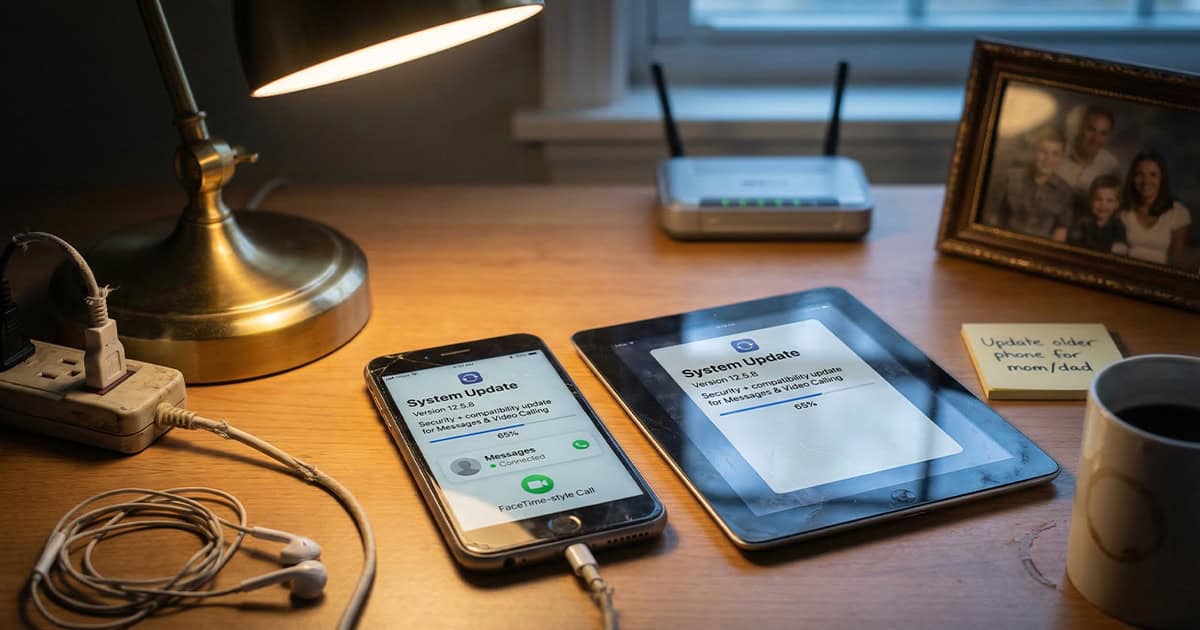
Apple has released iOS 12.5.8 and iPadOS 12.5.8 for a select group of older devices, marking the first system update for these products in nearly three years. This update ensures that essential services like iMessage, FaceTime, and device activation continue working beyond January 2027.
What iOS 12.5.8 Does
According to Apple’s release notes, iOS 12.5.8 extends a certificate required by key features to continue functioning after January 2027. Without this update, devices running older versions of iOS would reportedly lose access to iMessage, FaceTime, and potentially face issues with device activation once the current certificate expires.
While January 2027 may seem far off, installing the update now is a practical step to avoid disruption later. Additionally, since the previous iOS 12 update was released on January 23, 2023, this update may also address bugs or compatibility issues that have emerged over the past three years.
Which Devices Can Install iOS 12.5.8
Apple has made iOS 12.5.8 and iPadOS 12.5.8 available for the following devices:
- iPhone 5s
- iPhone 6
- iPhone 6 Plus
- iPad Air (1st generation)
- iPad mini 2
- iPad mini 3
- iPod touch (6th generation)
These devices cannot run newer versions of iOS or iPadOS, which is why Apple has continued to provide limited support through updates like this one. If you or someone you know is still using one of these devices as a daily driver or even as a secondary device, this update is worth installing.
Why This Update Matters
It’s easy to overlook older devices, but many people continue to use them for specific tasks, whether it’s a hand-me-down phone for a child, a dedicated music player, or a secondary device for travel. Losing access to iMessage and FaceTime would significantly reduce the usefulness of these devices, especially for staying connected with family and friends.
Apple’s decision to push this update demonstrates a commitment to keeping older hardware functional for core communication features. While these devices won’t receive new features or major security patches, maintaining access to messaging and video calling is a meaningful gesture for users who aren’t ready to upgrade.
How to Install iOS 12.5.8
Installing iOS 12.5.8 follows the same process as any other iOS update:
- Open the Settings app on your device
- Tap General
- Tap Software Update
- If the update appears, tap Download and Install
- Follow the on-screen instructions to complete the installation
Make sure your device is connected to Wi-Fi and has sufficient battery life, or keep it plugged in during the update process.
FAQ
Q: Will my iPhone 5s or iPad mini 2 stop working if I don’t install iOS 12.5.8?
A: The device itself will continue to work, but iMessage, FaceTime, and device activation may stop functioning after January 2027 without this update.
Q: Can I upgrade my iPhone 6 to a newer version of iOS instead?
A: No. The iPhone 6 and other devices listed are not compatible with iOS versions beyond iOS 12. iOS 12.5.8 is the final update available for these models.
Q: Is iOS 12.5.8 safe to install?
A: Yes. This is an official update from Apple designed to extend support for essential services. It does not introduce new features or changes beyond the certificate extension.
First and Geek Verdict
Apple’s release of iOS 12.5.8 is a welcome move for anyone still using older iPhones, iPads, or iPod touch devices. While these devices are nearly a decade old, keeping iMessage and FaceTime functional for another year or more adds real value for users who rely on them for communication. If you have one of these devices tucked away or in active use, take a few minutes to install the update. It’s a small step that ensures these devices remain useful for what matters most: staying connected.