
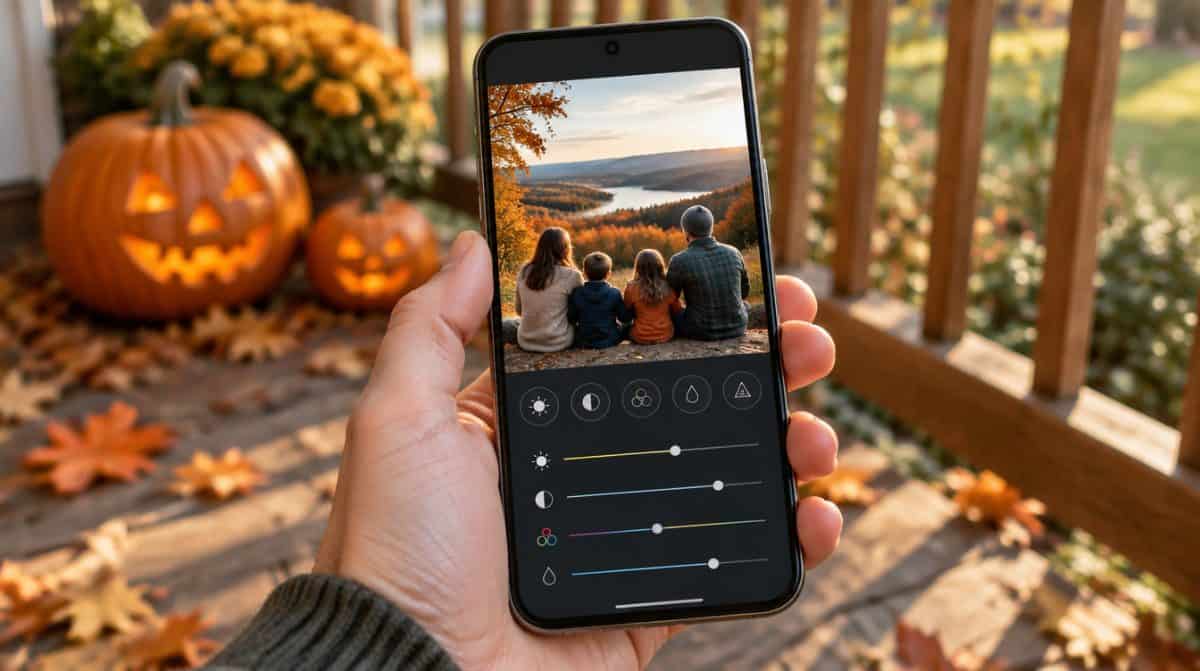
You brighten a photo of the kids in their Halloween costumes in Google Photos, then open WhatsApp to send it to the grandparents. The picture is not there. Only the old, unedited shot shows up, or nothing at all. If that sounds familiar, the Google Photos edited photos not showing bug has probably been getting in your way since the summer.
There is good news. Recent Google Photos updates appear to have fixed it. Users have reported that version 7.97 and newer no longer hide edited pictures from other apps, so for most Android owners the cure is a quick update and a couple of checks.
What went wrong with edited pictures on Android
Starting around July and August 2026, some Android users spotted an odd pattern. A picture edited in Google Photos and saved over the original would drop out of the photo picker inside other apps, such as Telegram and WhatsApp. Inside Google Photos itself, everything looked normal.
That is what made the Google Photos edited photos not showing glitch so confusing. Nothing seemed broken until the moment you tried to attach the edited picture somewhere else. Google acknowledged the bug in late September and said a fix was coming, but it has not explained the cause or listed which phones were affected.
Who ran into the Google Photos edited photos not showing problem
The reports come from Android phones that use Google Photos as the main gallery, Pixel owners included. The trouble tied back to edits saved in place. Edits saved as a separate copy stayed visible to other apps the whole time.
If you only edit and view pictures inside Google Photos, you may never have seen it. Families who share a lot of edited snapshots in group chats were the ones most likely to notice.
5 things to try, easiest first
- Update Google Photos. Open the Google Photos page on Google Play and tap Update if that button appears. This is the step most likely to clear up the Google Photos edited photos not showing issue, since users say it is gone from version 7.97 onward.
- Confirm your version number. On most Android phones, long-press the Google Photos icon, tap App info and scroll to the bottom. A version of 7.97 or higher should include the fix.
- Close and reopen the app you are sharing to. Fully close WhatsApp, Telegram or whichever app you were using, then open its photo picker again so it gets a fresh look at your library.
- Use Save as copy for edits that matter. In the Google Photos editor, Save as copy creates a new picture with your changes and leaves the original alone. Before the fix, this was the reliable way around Google Photos edited photos not showing in other apps.
- Re-save older edits that are still missing. Google has not said whether pictures edited during the bug will reappear by themselves. If one is still hiding, open it, make a small tweak and tap Save as copy to produce a fresh file.
Save versus Save as copy, and why it matters here
The two buttons behave very differently. According to Google’s help page on editing photos, Save applies your changes to the original, and those changes stay adjustable later. Save as copy makes a separate picture, but you cannot undo or fine-tune the edits on that copy afterward.
| Option | What happens | Adjust later? | Seen by other apps during the bug |
|---|---|---|---|
| Save | Changes the original photo | Yes | Often not |
| Save as copy | New photo, original untouched | No | Yes |
That trade-off explains why plenty of people skip Save as copy. It fills your library with near-duplicates. For a favorite family photo, though, one extra file is a small price for knowing it will show up wherever you share it.
Curious whether a picture someone sent you has been altered with AI? Our guide to checking photos and videos with the SynthID Detector walks through that.
When to wait for the next update
Already on version 7.97 or newer and still finding Google Photos edited photos not showing in other apps? Lean on Save as copy for now and check Google Play again in a few days for a newer Google Photos release.
Google has not posted a public note about the fix, so there is no official word on whether every phone is covered. Until it does, the version number is the best clue you have.
Frequently asked questions about Google Photos edits
Where do edited photos go in Google Photos?
If you tap Save, your changes are applied to the original photo in your library. If you tap Save as copy, Google Photos makes a new photo with the edits and leaves the original untouched. With backup turned on, your edits sync to your Google Photos account.
Can you undo an edit saved as a copy in Google Photos?
No. Google says you cannot undo or adjust changes on a photo saved as a copy, so hold on to the original if you might want a different look later.
Why can I only use Save as copy in a shared album?
Google Photos limits you to Save as copy for pictures that someone else added to a shared album. That way their original stays exactly as they uploaded it.
Is it time to stop saving every edit as a copy?
For most Android owners, yes. Update Google Photos to version 7.97 or later and the Google Photos edited photos not showing headache should be behind you. If you never hit the bug, there is nothing to change. Keep Save as copy for the shots you would hate to lose, and let everyday edits overwrite freely.