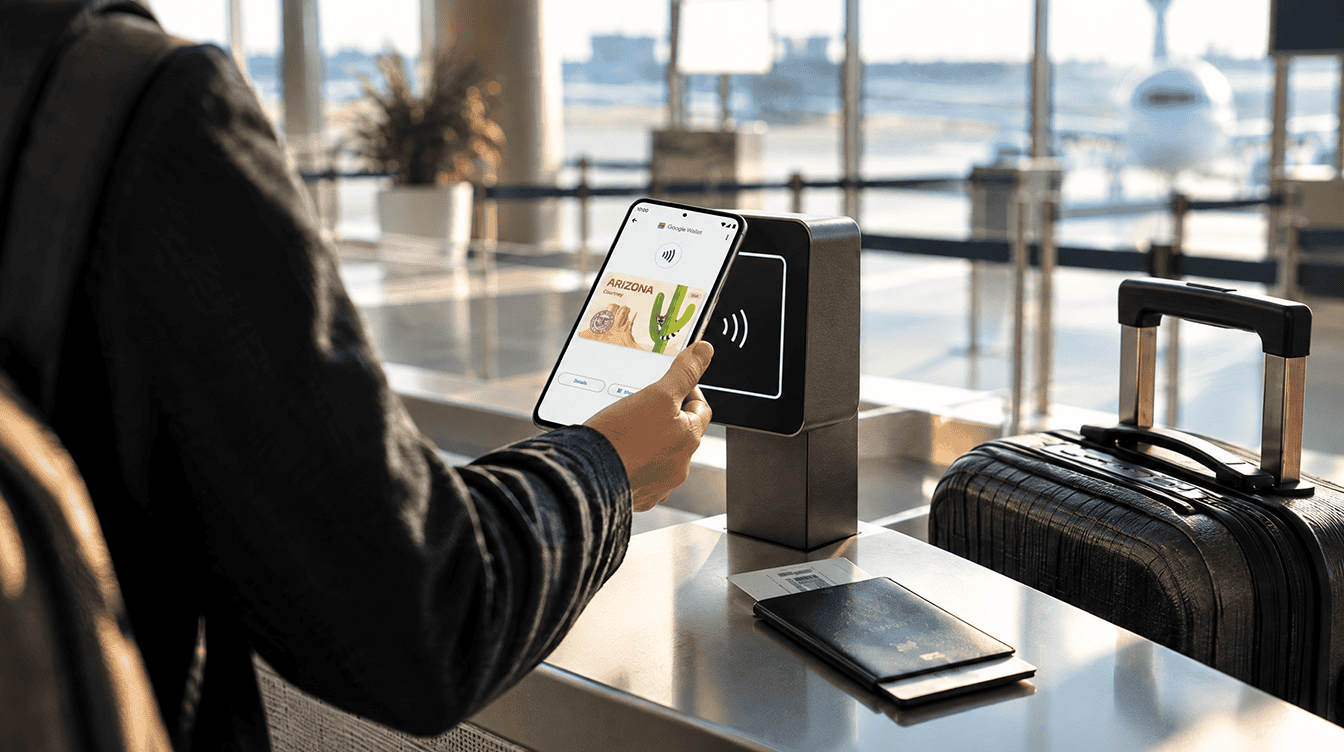
You can add a google wallet state id straight from the app if you live in one of the 12 states (plus Puerto Rico) that currently issue them, your phone runs Android 9 or newer, and you still have your physical license handy for the scan. Oklahoma is the newest name on that list, which means a fresh batch of Android owners can now leave the plastic card in the glovebox for some everyday checks.
That last part needs a caveat, and we will get to it. States that spell out the rules, such as Ohio and Oklahoma, still say you must carry your physical card, so think of the digital version as a faster way to show ID, not a replacement for it.
Which states support a google wallet state id right now
Support depends entirely on your state’s DMV, not on your phone brand or carrier. Here is where things stand in October 2026:
| Status | States and territories |
|---|---|
| Available now | Arizona, Arkansas, California, Colorado, Georgia, Iowa, Maryland, Montana, New Mexico, North Dakota, Ohio, Oklahoma, Puerto Rico |
| Announced, no date yet | West Virginia |
| Not announced | Every other state, including Texas and Illinois |
Maryland was the first to go live, back in late 2022, and Ohio and Oklahoma are the latest additions. West Virginia was announced as a future partner in April 2025, but there is still no launch window. If your state is not in the first row, the option simply will not show up when you try to add an ID.
What you need before you start
- An Android phone on version 9 or later with the Google Wallet app installed from the Play Store.
- A screen lock (fingerprint, face, PIN or pattern), since you approve every ID request by unlocking the phone.
- Your valid physical license or state ID. Oklahoma, for example, accepts a Class D license, a CDL or a state ID card, and requires you to be 18 or older.
- A personal Google account. Ohio specifically calls for a personal Gmail account rather than a work or school one.
- Good light and a plain background for photographing the card and recording a short selfie video.
Setting up a google wallet state id costs nothing in any participating state, and in Ohio you do not even need a REAL ID-compliant card to get one.
How to add a google wallet state id, step by step
- Open Google Wallet and tap Add to Wallet.
- Pick the ID option. Depending on your app version it appears as ID card or as ID & personal info followed by Driver’s license or state ID.
- Choose your state from the list.
- Take photos of the front and the back of your card when the app asks.
- Record the brief video selfie. This is how the state confirms the person holding the phone matches the card.
- Submit and wait for the state to verify it. Once approved, your google wallet state id sits just under your payment cards.
A common snag with families who share devices: Ohio allows only one Mobile ID at a time, so if you are moving to a new phone, remove the ID from the old one first. If a phone is lost or stolen, you can wipe the google wallet state id remotely from your Google Account under Personal info, then Manage IDs. While you are in there, it is a good moment to set up a Google passkey so the account guarding your ID is harder to break into.
Where you can actually show it
Airport security. Supported TSA checkpoints accept a google wallet state id. You tap your phone on the reader (or scan a QR code from Wallet), check what is being shared, then unlock to approve. Ohio’s BMV says its ID works at TSA checkpoints nationwide, but a TSA officer can still ask for the physical card, so keep it in your bag.
Local businesses and venues. This varies by state. Service Oklahoma lists sports venues, airports and restaurants among participating spots, while Ohio mentions state buildings, casinos and select businesses. Presenting works the same way everywhere: open the ID, hold the phone near the reader, review and approve.
Apps and websites. Some services now accept a digital ID for age or identity checks. On your phone you get a system prompt; on a computer you scan a QR code with the phone.
It is not a full stand-in for your card yet. In-person DMV use is planned for Arizona, Georgia, Maryland and New Mexico, but nothing firm has been announced beyond that.
Privacy: what gets shared and when
Google says a google wallet state id, like its other digital IDs, is encrypted and kept on the phone itself, and nothing goes to a reader until you opt in and unlock with your fingerprint, face, PIN or pattern. You also see the exact fields being requested before you approve, which is a real step up from handing a bartender a card that shows your home address.
Google has not published a full list of which fields each type of reader can request, so it is worth glancing at that approval screen every time rather than tapping through it on autopilot.
No state support? Use a passport ID pass instead
If your state cannot issue a google wallet state id yet, there is a workaround for flying. Google Wallet can turn your U.S. passport into an ID pass: you photograph its info page, scan the chip with your phone and record a face video. It is accepted for domestic flights at supported TSA checkpoints, not for international travel, and you still need the passport with you.
That same pass now connects to TSA PreCheck Touchless ID. According to Google’s June 24 announcement, PreCheck members can link it to boarding passes from any of the 100 participating airlines, with the touchless lanes running at 65 airports.
Frequently asked questions
Can I use my Google Wallet ID at TSA?
Yes, at supported TSA checkpoints you can tap your phone or show a QR code instead of handing over a card. Keep the physical ID with you, because an officer may still ask for it.
Why is my Google Wallet ID card not showing up as an option?
Usually because your state does not issue digital IDs through Google Wallet yet. It can also happen if your phone runs a version of Android older than 9.
Does Google Wallet support a Texas or Illinois state ID?
Not yet. Neither state is on the announced list for Google Wallet, so residents there can use the passport-based ID pass for domestic flights instead.
Is a google wallet state id worth setting up?
If you fly a few times a year or your state’s venues already have readers, yes: setup is free, quick and reversible. If you rarely travel and your town has no readers yet, it can wait, since you are carrying the card anyway. Either way, a google wallet state id is the rare upgrade that makes airport lines a little shorter without asking you to give anything up.