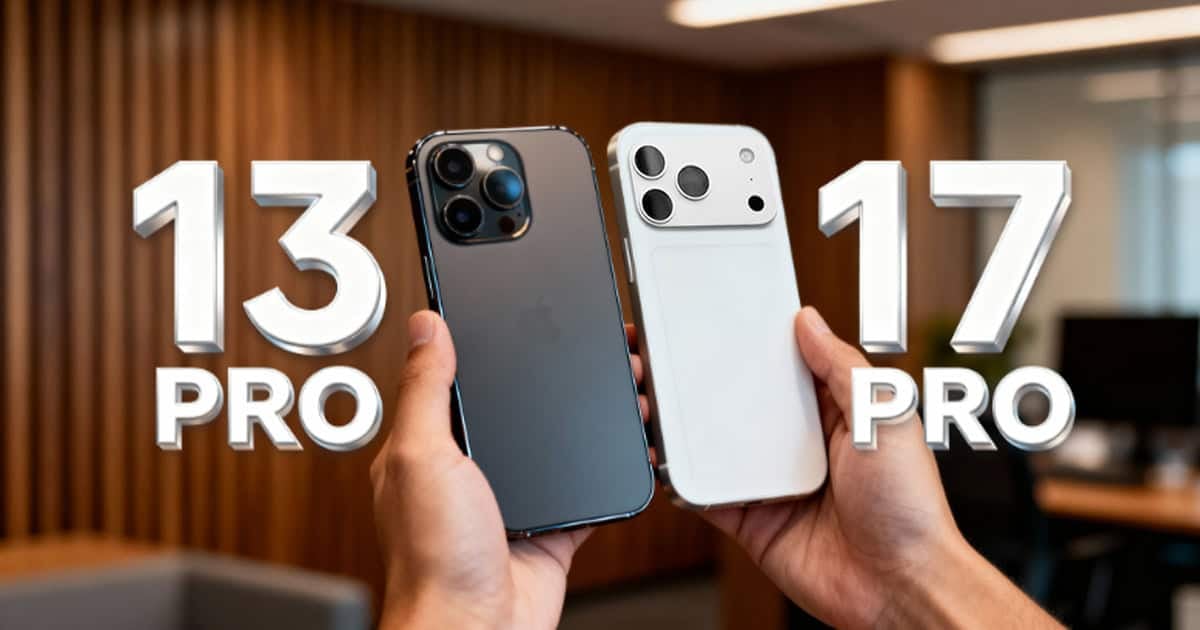
When you hold onto a phone for four years, upgrading becomes an exercise in noticing everything at once. A recent jump from the iPhone 13 Pro Max to the iPhone 17 Pro Max revealed some expected improvements, a few surprises, and at least one feature that didn’t quite stick. Here’s what stands out when you skip multiple generations.
Battery Life That Actually Lasts All Day
After four years, battery degradation is inevitable. Weekend outings with the iPhone 13 Pro Max required at least one mid-day charge to make it through. The iPhone 17 Pro Max, by contrast, reportedly delivered battery performance that felt almost excessive in comparison.
Even during heavy use involving navigation, photography, and frequent app switching, the device reportedly stayed above 85% after a full morning of unplugged use. While battery health will naturally decline over time and future iOS updates will demand more resources, the initial difference is significant enough to justify an upgrade for anyone who relies on their phone throughout the day without access to charging.
A Design That Feels Different, Not Always Better
For users who prefer going caseless, the iPhone 17 Pro Max reportedly presents a mixed experience. The newer device’s finish is noticeably more slippery, and the rounded edges feel bulkier despite the phone being only about a millimeter thicker than the iPhone 13 Pro Max.
Interestingly, the iPhone 17 Pro Max is roughly 10 grams lighter, but that weight reduction doesn’t necessarily translate to a premium feel. Some users may find the older device’s heft more reassuring, giving it a solid, heavy-duty presence that the newer model lacks. This is likely a matter of adjustment after years with the same hardware, but it’s worth noting that newer doesn’t always mean more comfortable in hand.
Camera Quality Gains Add Up Over Time
Year-over-year camera improvements can feel incremental, but skipping four generations makes the difference unmistakable. Photos taken on the iPhone 17 Pro Max show clear quality improvements, particularly in low-light conditions where the iPhone 13 Pro Max struggled.
Scrolling through a photo library makes the transition point obvious. The newer imaging system handles challenging lighting scenarios with noticeably better detail, color accuracy, and noise reduction. For anyone who uses their phone as their primary camera, these cumulative improvements become one of the most compelling reasons to upgrade.
Camera Control Button: More Useful Than Expected
The dedicated Camera Control button, introduced with the iPhone 16 series, has drawn mixed reactions. However, after daily use, it reportedly proves more intuitive than swiping from the lock screen or accessing the camera through Control Center.
A quick press launches the Camera app instantly, while a press-and-hold activates Visual Intelligence. The gesture controls for adjusting camera settings remain less intuitive and are better left disabled for many users. Apple has reportedly acknowledged this by changing the default settings in iOS 18, turning off the more complex gesture interactions by default. Still, as a quick-access hardware shortcut, the button delivers practical value in everyday use.
Always-On Display: A Feature That Doesn’t Fit Every Workflow
The always-on display, a feature available since the iPhone 14 Pro, remains a matter of personal preference. For users who value minimal distraction and reduced cognitive load, leaving the screen illuminated at all times can feel counterintuitive, even with Apple’s dimmed implementation.
While the feature has its advocates and Apple continues to refine it with updates like adjustable wallpaper blur levels in iOS 18, it’s not universally appealing. Turning it off immediately after setup may be the right choice for users who prefer their phone to remain entirely dormant when not in active use.
Other Observations Worth Noting
Apple Intelligence and Visual Intelligence
Apple Intelligence features, including on-screen context awareness and Visual Intelligence for camera-based lookups, reportedly work better than expected but still feel clunkier than comparable workflows on a Mac. Training yourself to rely on these features takes time, and for many tasks, the desktop experience remains faster and more efficient.
Screen Real Estate Gains
The smaller bezels on the iPhone 17 Pro Max are noticeable when comparing devices side by side, but the difference in everyday use is subtle. The extra screen space doesn’t dramatically change how content is displayed or how apps are used, making this more of a design refinement than a functional leap.
Dynamic Island vs. the Notch
The Dynamic Island is a clear improvement over the Face ID notch. It provides useful at-a-glance information for tasks like tracking deliveries or controlling media playback, and the interface feels polished. That said, it still occupies screen real estate, and in full-screen experiences like video playback, its presence is a reminder that true edge-to-edge displays remain a future goal.
First and Geek Verdict
Upgrading after four years delivers tangible benefits, particularly in battery life, camera performance, and build quality refinements. Some new features, like the Camera Control button, prove more useful than anticipated, while others, like the always-on display, remain a matter of personal preference. The iPhone 17 Pro Max isn’t a revolution over its predecessor, but the cumulative improvements across multiple generations make it a worthwhile upgrade for anyone holding onto older hardware. If your usage patterns demand better battery endurance and camera capability, the jump is well justified.