
Last Updated: March 2026 | Reading Time: 5 minutes | Author: First and Geek Editorial Team
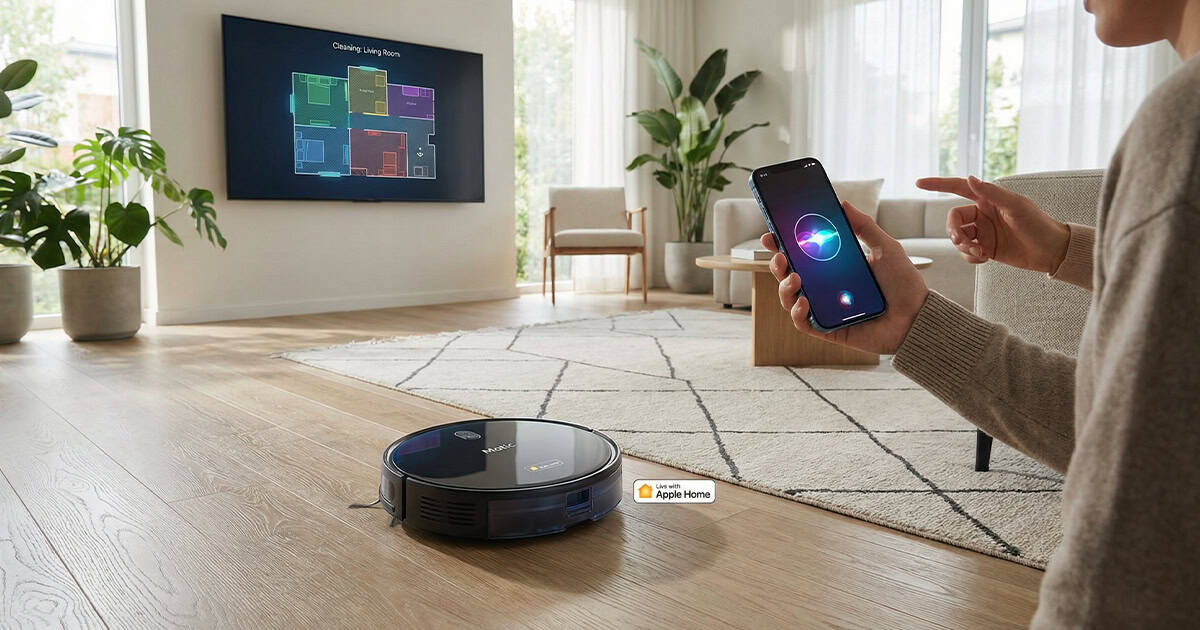
Matic Robots has rolled out a significant software update that brings Apple Home integration to its robot vacuum and mop. The update allows owners to control their Matic device through the Home app, use Siri voice commands across Apple devices, and create automations that fit naturally into daily routines.
Key Takeaways
- Matic robot vacuum now supports Apple Home and Google Home integration through version 1.44 software update
- Users can control vacuuming and mopping by room using Siri voice commands on iPhone, Apple Watch, and HomePod
- The Home app provides access to cleaning modes, room controls, scenes, and automations
- Setup requires scanning a QR code displayed on the Matic device after entering pairing mode in the app
- Amazon Alexa support is not yet available
How to Connect Matic to Apple Home
Setting up the integration is straightforward. After updating to Matic app version 1.44, a new option labeled “Connect to Smart Home App” appears in the settings menu. From there, users tap “Enter Pairing Mode” and choose either Apple Home or Google Home. Both platforms can be connected, though the pairing process must be completed one at a time.
The Matic device displays a QR code on its screen that you scan using your smartphone. Once the connection completes, the robot vacuum becomes available in the Apple Home app where it can be named and assigned to a room. The process takes just a few moments and doesn’t require any complicated network configuration.
Siri Voice Commands That Work
One of the most practical additions is comprehensive Siri voice control. You can now issue cleaning commands from any Apple device that supports Siri, including HomePod mini and Apple Watch. This makes it easy to start a cleaning cycle without opening an app or even picking up your phone.
The following voice commands have been confirmed to work reliably:
- “Siri, start vacuuming.”
- “Siri, vacuum and mop [room name].”
- “Siri, vacuum [one room name] and [another room name].”
- “Siri, mop [room name].”
- “Siri, vacuum and mop everywhere.”
- “Siri, pause [vacuum name].”
- “Siri, return the vacuum to the dock.”
This level of voice control flexibility means you can tailor cleaning sessions to specific needs without navigating through menus. If you’re heading out and want to quickly clean the kitchen and living room, a simple voice command handles it.
What You Can Do in the Apple Home App
The Home app provides direct access to core cleaning functions. You can start vacuum-only, mop-only, or combination cleaning sessions for individual rooms, multiple rooms, or the entire home. The app also allows you to pause and resume cleaning mid-cycle or send the robot back to its charging dock at any time.
Matic brings its existing room knowledge into Apple Home as a separate room list. This design choice prevents duplication issues with rooms you’ve already created in the Home app and avoids cluttering your setup with empty room entries.
Three cleaning modes are accessible through the Home app interface: Quick, Deep Clean, and Automatic. The app also displays the current charging status of the device, which helps you know whether it’s ready for the next cleaning session.
Scenes and Automation Support
Because Matic now appears as a standard HomeKit accessory, it can be included in scenes and automations alongside other smart home devices. This opens up practical automation possibilities that align with everyday routines.
For example, you can create an automation that starts cleaning when everyone leaves home, based on location detection from your iPhone. Or you could set up a scene that sends the vacuum back to its dock when someone arrives home, preventing it from running underfoot during busy times.
These automation features work without requiring any additional smart home hubs or third-party services, since everything runs through Apple’s HomeKit framework.
Known Limitations and Platform Differences
While the integration is well executed overall, there are a few limitations worth noting. The “play sound to locate device” button in the Home app does not appear to function, even though the Matic hardware is capable of playing audible alerts.
Additionally, the Home app on macOS does not currently support robot vacuum and mop controls, which means Siri on Mac cannot issue cleaning commands. This limitation appears to be related to the macOS version of the Home app rather than Matic’s implementation. iPhone, iPad, and Apple Watch all provide full control.
It’s also important to note that while the Home app integration is robust, some advanced features remain exclusive to the Matic smartphone app. Users who want access to the full feature set will still need to use the dedicated app for certain tasks.
Pricing and Availability
Matic Robots offers its vacuum and mop device for $1,245. The product is designed and assembled in California and comes with everything needed to begin cleaning immediately. A 60-day return period is included, giving buyers nearly two months to evaluate whether the device fits their household needs.
Why Smart Home Integration Matters
Adding robot vacuums to a smart home ecosystem is more than a convenience feature. It represents a shift toward hands-free home maintenance that fits naturally into existing routines. Instead of remembering to manually start a cleaning cycle, you can tie it to events that already happen every day, like leaving for work or finishing dinner.
Voice control through Siri removes another friction point. You don’t need to unlock your phone, open an app, and navigate menus. A quick voice command from across the room gets the job done. For households that have already invested in the Apple ecosystem, this kind of integration makes the technology feel more cohesive and less like managing a collection of disconnected gadgets.
The fact that Matic delivered this functionality through a free software update to existing hardware is worth highlighting. It shows a commitment to improving the product over time rather than holding back features for future hardware revisions.
First and Geek Verdict
Matic’s Apple Home integration is a well-implemented addition that brings meaningful functionality to users already invested in Apple’s ecosystem. The ability to control cleaning sessions through Siri voice commands and automate them based on daily routines makes the robot vacuum feel like a natural part of the smart home rather than a standalone appliance. While some advanced features remain in the dedicated Matic app and a few Home app functions don’t work as expected, the core experience is solid and adds genuine value. For households looking for a robot vacuum that works seamlessly with Apple Home, Matic now offers a compelling option backed by thoughtful software support.