Since May 19, 2026, the Fitbit app has officially been Google Health, and the Android listing now opens with a blunt line: “The Fitbit App is now Google Health.” Anyone who put off the fitbit app update is out of time. According to a report from Android Authority, people still running older builds are now being stopped by a mandatory update screen before they can open the classic app.
For families, this is more than a new icon. Kids’ accounts and years of sleep history ride on the switch, and some favorite features do not come along. Here is what to check, how to move over, and what to try if your tracker misbehaves.
Why the fitbit app update is no longer optional
Google designed the fitbit app update as a one-way trip from day one. Its help page on the redesigned Google Health app says most phones would switch on their own between May 19 and May 26, 2026, and anyone else could update by hand through the Google Play Store or the App Store, as long as the phone meets the app’s requirements. No toggle ever existed to stay on the classic version.
A handful of holdouts kept an older 4.x build installed with automatic updates switched off. That loophole now appears to be closing. Google has not publicly announced the block, so it may reach phones in waves, but an app that can no longer sign in or sync is not worth fighting for.
What to sort out before you switch
The biggest snag with the fitbit app update is the account itself. Google Health works only with a personal Google Account; a Google Workspace account from an employer or school will not be accepted.
| Your situation | What happens | What to do |
|---|---|---|
| Already signed in with a Google Account | The update goes straight through | Install it and sign in as usual |
| Still using an older Fitbit login | The rest of the app stays locked until the account moves | Move the account to Google first (this is permanent) |
| Fitbit login created with a Gmail address | A move prompt may show up in Settings | Tap the prompt and follow along |
| Only a work or school Workspace account | Not supported | Use or create a personal Google Account |
| Parent managing kids’ Fitbit accounts | Children under 13 can follow you over | Move your own account, then the family |
Two more things before you start the fitbit app update. Charge the tracker, and know that converting a Fitbit login to a Google Account cannot be reversed. It takes a few minutes, and you can cancel before the last screen.
How to finish the fitbit app update on Android or iPhone
- Open the Google Play Store on Android or the App Store on iPhone and look up Google Health. On Android, the listing is called Google Health (Fitbit).
- Tap Update and wait for the install to complete.
- Open Google Health and sign in. With an older Fitbit login, tap the notification about moving your account and follow the prompts.
- If your Fitbit login was originally set up with a Gmail address, sign in with that address, tap the Settings icon at the top right, and tap the move prompt if one appears.
- Give it a minute, then check the Today tab for your recent steps and sleep.
Google keeps the full walkthrough on its account move support page. Once everyone is on a Google Account, it is a good moment to add a passkey; see our guide on how to set up a Google passkey.
Bringing your kids’ accounts along
Parents have one extra round once their own fitbit app update is done. You need to be the main or secondary guardian of the Fitbit family and also run your Google family group as its family manager. Then:
- In Google Health, find the Move your family to Google screen and tap Get started.
- Check the list of family members and tap Continue.
- Set up a Google Account for every child as prompted.
Only children under 13 (or the matching age in your country) come with you. Teenagers and other adults move their own accounts. Kid accounts also can no longer have friends, so step races between cousins are over.
What you lose with the fitbit app update
Google’s own list of changes is long, and a few items will sting:
- Badges: no longer supported, and earned badges are being deleted.
- Sleep: Sleep Profile, the monthly sleep animals, Estimated Oxygen Variation and Snore Detection on Sense and Versa 3 are gone.
- Social: Groups, the Community Feed and direct messages have been removed.
- Health and food: stress check graphs on mobile, skin temperature readings by the minute and Food Plans calorie targets are out.
- New names: Cardio fitness score is now VO2 max, Stress score is Resilience and Menstrual health is Cycle health.
Google allowed downloads of data tied to removed features until July 15, 2026, with deletion starting after that. If you never saved those records, check the export option in the app settings, but they may already be gone.
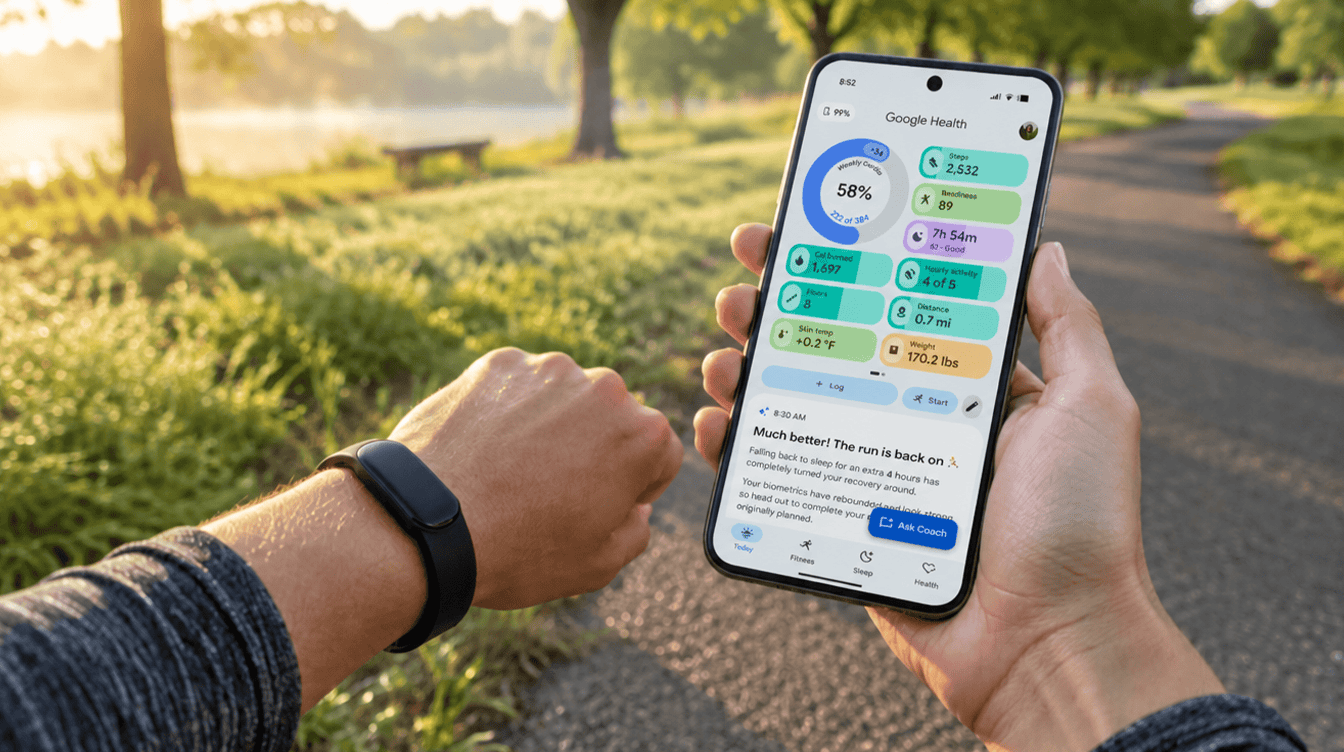
It is not all subtraction. For people with a Fitbit or Pixel Watch, the fitbit app update brings four tabs (Today, Fitness, Sleep and Health), and Fitbit Premium is now Google Health Premium, with a 3-month trial for new or returning users. Premium adds the Gemini-powered Google Health Coach, which is limited to adults 18 and over with a supported device. If you would rather keep AI out of other corners of your day, see how to turn off Gemini in Chrome.
Fitbit app not working after update? Start here
Many readers find their tracker refuses to sync after the fitbit app update. These steps come from Google’s sync troubleshooting guide, easiest first:
- Keep the tracker near your phone and turn off Battery saver and Bedtime mode.
- On Android 12 or newer, check that Google Health has the Location and Nearby devices permissions.
- Toggle Bluetooth, then run a manual sync from Connections and restart the phone and tracker.
- Unpair the tracker inside Google Health and in your phone’s Bluetooth menu, then pair it again.
- If nothing else works, uninstall and reinstall Google Health.
One easy one to miss: Google suggests uninstalling Google Health from any old tablet or spare phone nearby that is signed in to the same account.
Frequently asked questions about the Google Health switch
Will I lose my Fitbit history after the switch?
Your account history carries over to Google Health. The exception is data tied to features Google removed, such as badges, which it began deleting after July 15, 2026.
Is the Google Health app free?
Yes, the core app is free. Google Health Premium, the renamed Fitbit Premium, is optional and adds extras like the Google Health Coach.
Can I go back to the old Fitbit app?
No. Google built the change as a permanent move, and converting a Fitbit login to a Google Account cannot be undone.
Should you stop putting off the Fitbit switch?
If you still wear your tracker every day, yes. The classic app is going away either way, and a quiet evening beats discovering a broken sync on race morning. Parents should move the whole family in one sitting. Only people ready to retire their Fitbit can skip it; badges were fun, but the steps still count.