Yes, you can now get Instagram on Apple TV, and it comes straight from Instagram rather than a third-party viewer. The official app is free in the App Store on the box itself, but it only installs on Apple TV models running tvOS 26.0 or later, so a quick software update may be the first step.
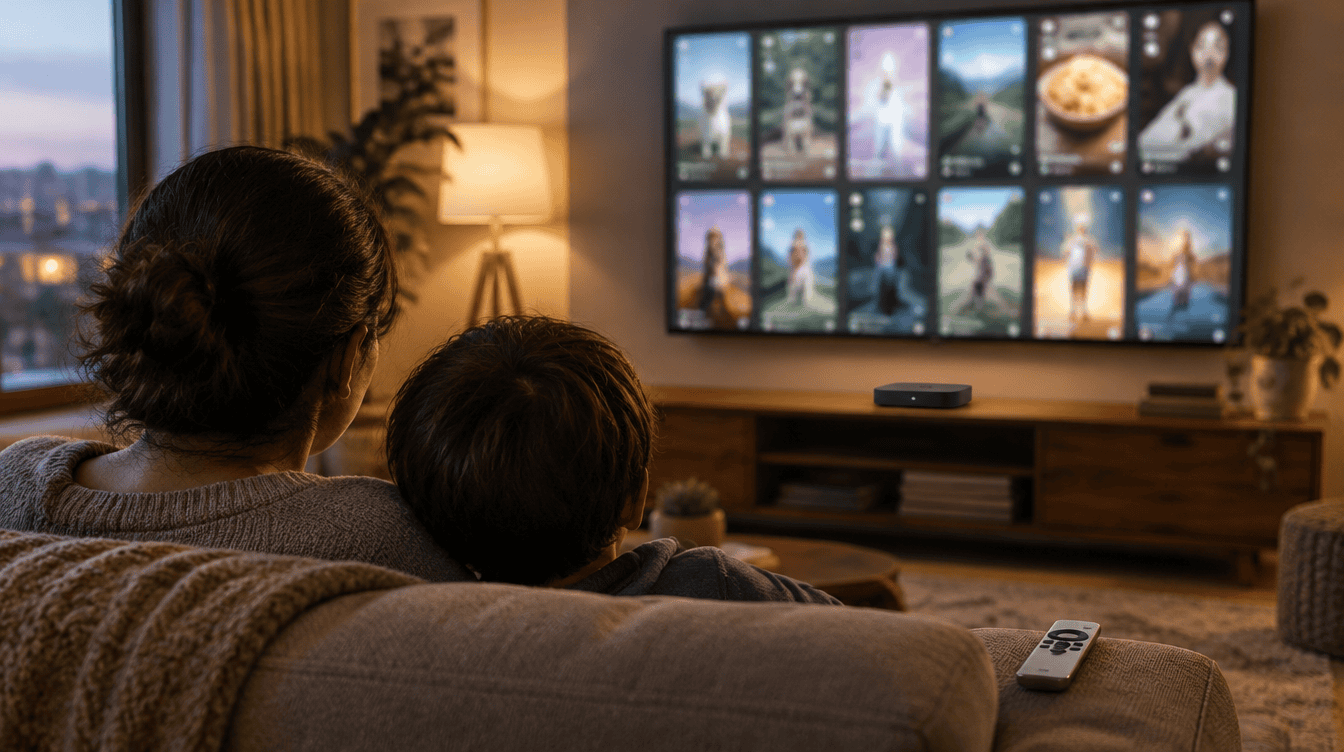
That matters for any household where Reels already get passed around the couch on a phone. The new app puts that feed on the biggest screen in the house, with a layout clearly built for watching together rather than scrolling alone.
What you need for Instagram on Apple TV
The checklist is short. The Instagram App Store listing now names Apple TV as a supported device next to iPhone and iPad, and it spells out the software floor for each one.
| Item | What is required |
|---|---|
| Apple TV hardware | Apple TV HD or Apple TV 4K that can run tvOS 26 |
| Software | tvOS 26.0 or later |
| Account | An existing Instagram account |
| Price | Free, with optional in-app purchases such as Meta Verified |
| Download size | About 661 MB per the listing |
If your box has been sitting on an older tvOS release for a while, check that before you go looking for Instagram on Apple TV. The App Store simply will not offer the app to a device below that version.
How to get Instagram on Apple TV in 4 steps
- Update tvOS. With the remote, go to Settings, then System, then Software Updates, and install anything waiting. Let the box restart if it asks.
- Open the App Store on the Apple TV. Use the store on the TV itself, not the one on your phone.
- Search for Instagram. Pick the listing published by Instagram, Inc., then choose the download button.
- Open the app and sign in. Use the Instagram account you want the TV to show. Meta has not published a step-by-step sign-in guide for the Apple TV version, so follow the prompts on screen.
A common snag is a box that looks up to date but has automatic updates switched off. If the search comes up empty, go back to step one before assuming Instagram on Apple TV is missing in your country.
What the app shows once you sign in
Reels are the star of Instagram on Apple TV. Stories sit in a row across the top, a grid of recommended reels fills the space underneath, and a menu runs down the left edge. Pick a reel and it plays full screen, with likes, comments, reposts and shares listed beside it, plus small profile pictures showing which friends reacted.
Instagram’s own description of the TV app goes further, promising longer videos to watch with friends, live shows and the ability to continue where you stopped on another screen. That last part is handy if a video started on someone’s phone at dinner and the family wants to finish it on the TV.
What is still missing on the big screen
Instagram on Apple TV is the newest stop on a longer tour. Meta tested its TV app on Amazon Fire TV first, then added Google TV and, in June, Samsung smart TVs. In its June announcement about Instagram for TV, the company listed several features, some already live on other TV platforms and some still in testing:
- Channels grouped by interest, such as comedy, sports or a favorite creator
- Sending Reels from your phone to the TV, including saved videos
- Stories on the big screen
- A dedicated home for horizontal video (in testing), with episodic series and live content still being explored
The catch is that phone-to-TV casting was described only for Google TV and Fire TV. Meta has not said whether the same trick works with the Apple TV app, so do not count on it yet. It has also not said which of the tested features are switched on for Apple TV owners today.
Age rating, privacy and a shared living room TV
The listing rates the app 13+ and notes that some content may be rated higher, with in-app controls, parental controls and age checks doing the filtering. For parents, the bigger issue is simpler: whatever account is signed in on the TV is what everyone in the room sees, including its recommendations.
If a teen uses their own account on the family box, a younger sibling on the couch gets that teen’s feed too. It is a good moment to revisit the ground rules from our piece on teenage phone use and parental control, and to decide whose account belongs on the shared screen. Families already juggling several subscriptions may also find our look at what the HBO Max and Paramount Plus merger means for families useful as the streaming home screen gets more crowded.
Frequently asked questions
Can you cast Instagram to Apple TV from your phone?
Not officially confirmed yet. Meta has described casting Reels from a phone only for Google TV and Fire TV, so on Apple TV the dedicated app is the supported route for now.
Is the Instagram Apple TV app free?
Yes. The download is free, and the listing shows optional in-app purchases such as badges and Meta Verified.
Can you download Instagram on an older Apple TV?
Only if it runs tvOS 26.0 or later. Any Apple TV HD or Apple TV 4K on that version qualifies, while boxes that cannot install it will not see the app.
Should your family add Instagram to the Apple TV?
If Reels already get shared around the couch every evening, set up Instagram on Apple TV tonight and pick one family-friendly account for the TV. If you mostly use Instagram for messages and photos, you can skip it until Meta confirms casting and longer shows on Apple TV. Either way, the small phone screen just stopped being the only way to watch.