
Last Updated: February 2025 | Reading Time: 4 minutes | Author: First and Geek Editorial Team
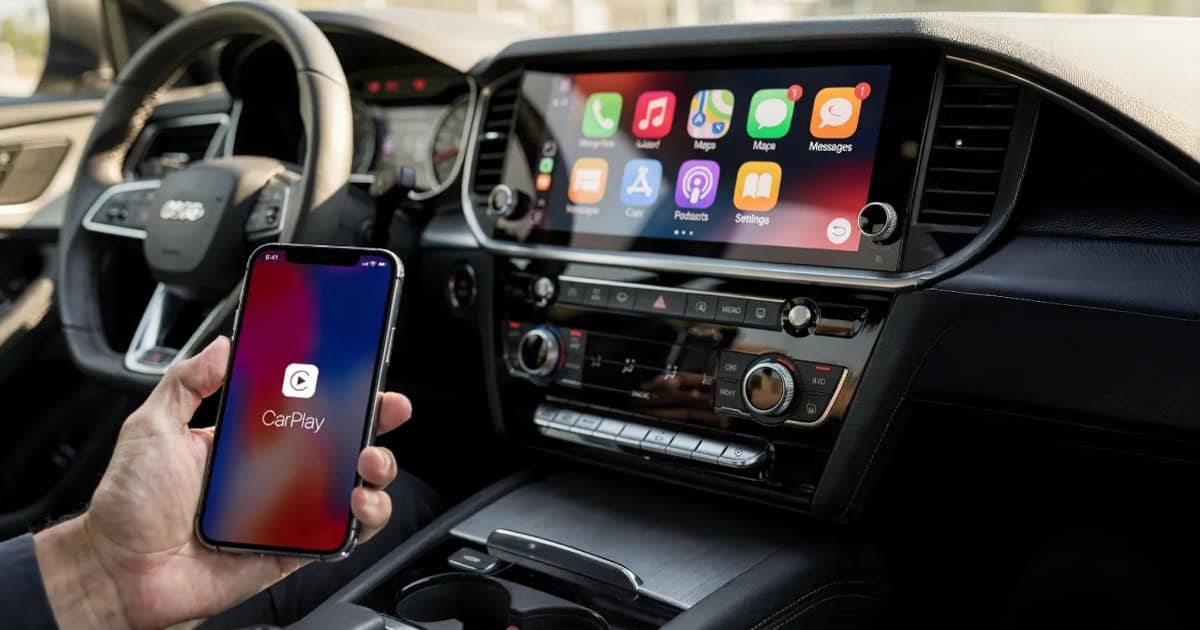
Apple CarPlay has become an essential feature for many drivers, seamlessly bringing iPhone functionality to vehicle dashboards. If you use CarPlay regularly, you might have missed some recent updates that can significantly improve your driving experience. Here are three standout features that are worth exploring, whether you’re driving a vehicle with a large portrait screen or simply looking to get more from your connected car.
Smart Display Zoom: Making Better Use of Large Screens
For drivers with vehicles featuring large, portrait-oriented center console screens, iOS 18 introduced a feature called Smart Display Zoom that can make a noticeable difference in daily usability. This setting increases the information density displayed on your screen, allowing you to see more at a glance without sacrificing readability.
With Smart Display Zoom enabled, you’ll see more app icons in the CarPlay grid and significantly more detail in Apple Maps, both in the full Maps app and on the CarPlay dashboard interface. This is particularly helpful for larger displays where the standard zoom level can feel unnecessarily spacious and limit what you can see.
In most vehicles, Smart Display Zoom is disabled by default. To enable it, open the Settings app within CarPlay itself. The effectiveness will vary depending on your specific vehicle and screen size, but for cars with larger displays, it can transform CarPlay from feeling somewhat sparse to genuinely information-rich.
Live Activities: Real-Time Updates Where You Need Them
iOS 18 brought Live Activities to CarPlay, extending one of the iPhone’s most useful features to your vehicle’s display. Live Activities provide real-time, glanceable updates from apps without requiring you to open them fully, and they work just as smoothly in CarPlay as they do on your phone.
This feature shines in several practical scenarios. Weather apps like Carrot Weather can display Live Activities showing incoming precipitation, which is incredibly useful when you’re planning a drive or trying to decide whether to pull over. You can monitor changing conditions without taking your attention away from the road for more than a quick glance.
Sports fans will also appreciate Live Activities support. The Apple Sports app, for example, can display live scores and game updates directly in CarPlay. Whether you’re following your favorite baseball team or keeping tabs on a playoff game, you can stay informed without fumbling with your phone or asking Siri for constant updates.
The beauty of Live Activities in CarPlay is that they’re designed for quick, safe viewing. The information is presented clearly and updates automatically, so you’re never tempted to interact more than necessary while driving.
Apple Music SharePlay: Collaborative Car Playlists
If you frequently drive with friends or family, SharePlay support for Apple Music in CarPlay is a surprisingly delightful addition. This feature allows anyone in the car to control and contribute to the music queue, rather than designating one person as the sole DJ for the entire trip.
Setting up SharePlay is straightforward. On the Now Playing screen in Apple Music, you’ll see a SharePlay icon in the upper-right corner. Tapping this generates a QR code that passengers can scan with their phones. Once connected, they can control playback through their own Apple Music app, even if they don’t have an Apple Music subscription themselves.
This collaborative approach to car music can make road trips more engaging and give everyone a voice in the soundtrack. Of course, the experience depends heavily on the musical tastes of your passengers. It can lead to some interesting (and occasionally chaotic) playlist choices, but that’s part of the fun. It’s particularly great for families with teenagers or groups of friends who want to share their favorite discoveries.
Getting the Most from CarPlay
These three features represent the kind of thoughtful refinements that Apple has been making to CarPlay over recent iOS updates. They’re not flashy headline features, but they address real-world use cases and make the daily driving experience more convenient and enjoyable.
Smart Display Zoom is particularly valuable if you’ve felt like your car’s large screen isn’t being used efficiently. Live Activities bring timely information into your field of view without requiring interaction. And SharePlay transforms the car stereo from a single-user device into a shared experience.
If you haven’t explored these features yet, they’re worth spending a few minutes to set up and try. The Settings app within CarPlay is the starting point for Smart Display Zoom, while SharePlay and Live Activities work automatically once the necessary apps and iOS features are configured on your iPhone.
FAQ
Q: What iOS version do I need to use these CarPlay features?
A: Smart Display Zoom and Live Activities support in CarPlay were introduced in iOS 18. Apple Music SharePlay for CarPlay arrived in iOS 17. Make sure your iPhone is updated to at least iOS 18 to access all three features.
Q: Will Smart Display Zoom work with every car?
A: Smart Display Zoom is available in CarPlay on iOS 18 and later, but its effectiveness depends on your vehicle’s display size and orientation. It’s most beneficial for larger screens, particularly portrait-oriented displays. You can test it in your car’s CarPlay Settings to see if it improves your experience.
Q: Do passengers need an Apple Music subscription to use SharePlay in CarPlay?
A: No, passengers can participate in SharePlay and control playback even without their own Apple Music subscription. They just need to scan the QR code and connect to the active SharePlay session in the car.
Q: Which apps support Live Activities in CarPlay?
A: Any app that offers Live Activities on iPhone can potentially display them in CarPlay, as long as the app has been updated to support this feature. Popular examples include weather apps, sports apps, delivery tracking services, and navigation tools. The availability depends on developer implementation.
First and Geek Verdict
CarPlay continues to evolve with thoughtful features that improve everyday usability rather than just adding complexity. Smart Display Zoom addresses a real limitation for drivers with larger screens, making better use of available display space. Live Activities bring timely, contextual information into view exactly when and where it’s useful. And SharePlay turns music playback into a shared activity, which can genuinely enhance the atmosphere during group drives. If you use CarPlay regularly, taking a few minutes to explore these three features is time well spent. They represent the kind of incremental improvements that add up to a noticeably better connected driving experience.