

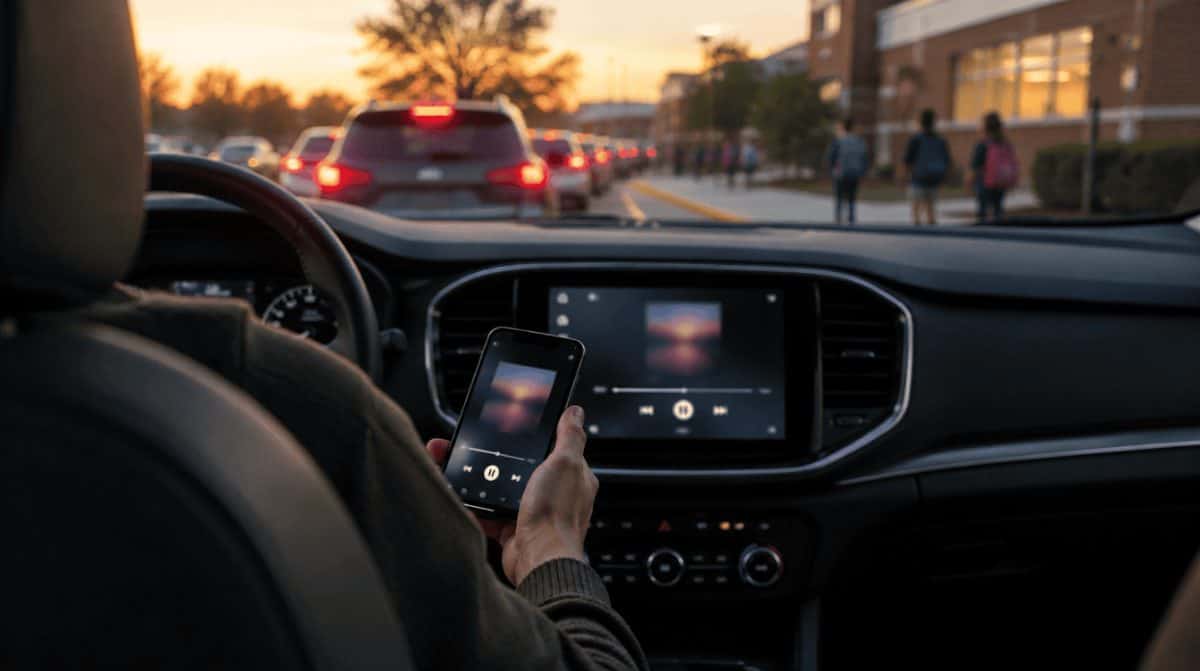
If your family’s road trips run through an iPhone, the phone in the cupholder now decides more about your dashboard than the car does. The iOS 27 CarPlay features bring video for parked cars, a smarter Now Playing screen and fresh wallpapers, but the biggest addition, Siri AI, only shows up with newer iPhones.
iOS 27 runs on iPhone 11 and later, plus iPhone SE (2nd generation and later), so a lot of older phones still get part of the upgrade. How much of it you see comes down to two things: the iPhone you plug in and, for video, the company that built your car.
What the iOS 27 CarPlay features actually add
Most of this year’s changes make the car screen more useful when you stop and more dependable while you drive. Here is the short list.
- Video apps, parked only. The car display can now play video while the vehicle is stationary. Pull away mid-episode and CarPlay drops the picture and keeps the sound going.
- A better Now Playing screen. A mini-player shows album art next to playback controls, a progress bar tells you how far into a track or podcast you are.
- Steadier connections. Apple says wireless CarPlay should connect more consistently, and location from GPS should be more accurate.
- Route details shared with the car. Navigation apps can hand trip information, such as planned EV charging stops, to the vehicle itself.
- New wallpapers. Fresh backgrounds for the CarPlay Dashboard.
Which iPhones get Siri AI in CarPlay
CarPlay is powered by your phone, not by the computer inside the car. So the dashboard can only do what the connected iPhone can do, and that matters most for Siri AI, which needs an Apple Intelligence-enabled iPhone.
| iPhone | Siri AI in CarPlay | Other iOS 27 CarPlay features |
|---|---|---|
| iPhone Duo, iPhone Air, iPhone 16 models and newer | Yes | Yes |
| iPhone 15 Pro and iPhone 15 Pro Max | Yes | Yes |
| Other models from iPhone 11 onward (including iPhone 14) | No | Yes |
| Models older than iPhone 11 | No | No – current CarPlay stays as is |
In practice, a parent whose car is paired with an iPhone 14 keeps the mini-player, the progress bar and the new backgrounds. They just won’t get the smarter assistant. Siri AI launched in English and added Spanish, Portuguese, Korean, Japanese and French on October 26 with iOS 27.2, and Apple says in its Siri AI announcement that it is not available to anyone under 13.
Why CarPlay video while parked may not show up in your car
This is the feature most likely to cause confusion in the driveway. Among the iOS 27 CarPlay features, video comes with a catch: it needs the carmaker’s support, so apps like YouTube or Netflix may be missing from some dashboards even after the phone is updated. An iOS update on its own won’t change that.
Think of it as something for the school pickup line or a stop at a charger, not entertainment for the highway. Once the wheels turn, the picture disappears and only audio carries on.
What changes for iPhone owners in the EU
Apple is not offering Siri AI in the European Union at first on iPhone, and features built on it are held back there too. Drivers in the EU with a compatible iPhone still pick up the rest of the iOS 27 CarPlay features, including the Now Playing changes and the new wallpapers.
What we don’t know yet
Apple hasn’t published a list of car brands that support video in CarPlay, so for now the only real test is your own dashboard after updating. Apple also hasn’t given a date for Siri AI reaching iPhone owners in the EU.
If you are still getting to know CarPlay, our rundown of three CarPlay features worth trying covers the basics, and our guide to getting Apple Maps traffic alerts before you leave home pairs nicely with the new route sharing.
Frequently asked questions about CarPlay in iOS 27
Can you play video in Apple CarPlay?
Yes, with iOS 27, but only while the car is parked and only if your carmaker supports it. Playback switches to audio once you start driving.
Can you use Siri with Apple CarPlay?
Yes. Holding down the steering wheel’s voice control button starts Siri. The newer Siri AI needs an iPhone 15 Pro, iPhone 15 Pro Max, iPhone 16 model or a later iPhone.
Which iPhones get the iOS 27 CarPlay features?
Any iPhone that can run iOS 27, which means iPhone 11 or later, plus iPhone SE (2nd generation and later). Siri AI is the exception, since it only works on Apple Intelligence-enabled models.
Parked video is a nice extra, but the new Now Playing screen is the change I’d actually notice every day.
Should you update your iPhone for the new CarPlay?
If you drive with an iPhone 15 Pro or anything from the iPhone 16 family onward, update and you get every one of the iOS 27 CarPlay features, Siri AI included. Owners of older supported iPhones still get worthwhile polish and lose nothing by updating. Just don’t buy a new phone for parked video until you know your car supports it, because that switch belongs to the carmaker, not Apple.