
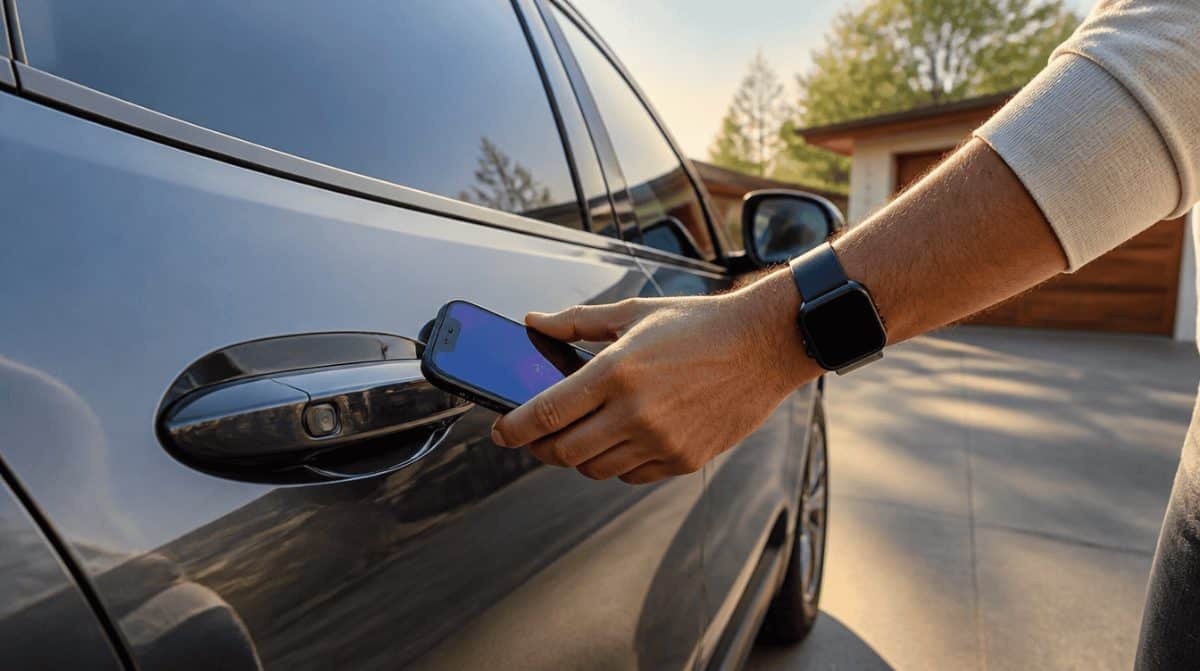
Until this fall, getting into a new Cadillac, Tahoe or Yukon meant carrying a fob or opening a car app and tapping a button. Now a GM digital key can live in Apple Wallet, Google Wallet or Samsung Wallet, so the phone or watch you already carry does the job, and the car unlocks as you walk up.
GM announced the rollout in September, starting with three Cadillac EVs, and it widens to Chevrolet, GMC and more Cadillac models in December. Below is what you need, how to add the key, and how to share it with the rest of the family.
Which cars get the GM digital key, and when
The GM digital key rollout comes in two waves. More models will follow, and your vehicle’s app will flag it in its What’s New section once your car qualifies.
| Brand | Models and years | Timing |
|---|---|---|
| Cadillac | LYRIQ (2025 to 2027), OPTIQ (2026 to 2027), VISTIQ (2027) | Rolling out since September |
| Chevrolet | Tahoe and Suburban (2026 to 2027) | December |
| GMC | Yukon and Yukon XL (2026 to 2027) | December |
| Cadillac | Escalade, Escalade IQ/IQL and CELESTIQ (2027) | December |
Older model years and other GM nameplates have no date yet.
What you need before you start
The key relies on ultra-wideband (UWB) radio to sense how close you are, plus Bluetooth for remote controls. That rules out some phones that otherwise look recent.
- iPhone: iPhone 11 or later, running iOS 26. The SE, XR and “e” models are not supported.
- Apple Watch: Series 6 or newer, or Apple Watch Ultra.
- Google Pixel: Pixel 6 Pro or a newer Pro or Fold model, running the latest Android version. Pixel Watch 2 or newer also works.
- Samsung Galaxy: Galaxy S21+ 5G or newer, Note20 or newer, or a Galaxy Z Fold or Z TriFold.
- The car side: an OnStar-connected vehicle, the physical key fob, and your vehicle’s mobile app with your account signed in. You also have to accept the OnStar Terms and Conditions and Privacy Statement.
To check your software version, open Settings, then General, then About on an iPhone, or Settings, then About Phone on Android.
How to add a GM digital key to your phone wallet
Cadillac has published the exact menu path for its myCadillac app, so the steps below use those names. Chevrolet and GMC owners go through their own vehicle app, and the button labels may differ slightly there.
- Sit in the car with your phone and the key fob. Turn the vehicle on, shift into PARK and close all the doors.
- Turn on Bluetooth on your phone.
- Open the myCadillac app and sign in.
- On an EV, tap the Set up your vehicle card and choose Add key to device wallet. On a gas model, pick Add key to device wallet right from the Home screen.
- If you don’t see either option, go to Vehicle info and Settings, tap Keys, then Add key.
- Follow the prompts until the key appears in your phone’s wallet app.
- Leave the fob inside, step out, and try locking, unlocking and starting the car with just your phone.
That last test matters. If the GM digital key fails while the fob is still in the cabin, you’ll find out in your driveway instead of a parking garage. Apple has its own support page for car keys in Wallet if the iPhone side gives you trouble.
How walk-up unlocking and sharing work
Once set up, the car unlocks as you approach and locks as you walk off. From the wallet card you can also pop the trunk or start warming or cooling the cabin before you get in, a small luxury on a January school run.
Sharing the key with family
GM’s announcement says you can send a GM digital key to up to seven more devices through AirDrop, Messages, WhatsApp and similar apps. Cadillac’s help page also mentions a three-person sharing limit in one spot, so check what your app allows before you promise keys to everyone in the house.
- Apple Wallet: open the key and tap the Share icon in the top-right corner.
- Google Wallet: tap Share at the bottom of the key screen.
- Samsung Wallet: tap the sideways V at the top, then Share key, then Set options and share.
A QR code is another way to send it, though that route comes with fixed access settings you can’t adjust. The person you share with needs a UWB-capable phone, yet doesn’t need the car app at all. For a new teen driver, the handiest control is a lock-and-unlock-only key: the doors open for them, but the engine stays off.
Limits, security and a few known quirks
The GM digital key follows the Car Connectivity Consortium (CCC) standard for digital car keys. The account owner can pull access at any time, and anyone you share with can only delete their own copy.
- Lost phone: wipe the key using Apple’s, Google’s or Samsung’s tools, then set it up again on another phone. OnStar can also shut off the key, and a key card works as a backup in the meantime.
- Two people, two phones: the car locks when one key device leaves while another stays inside. Keep at least one key on you when you step out.
- Valet and service: hand a valet the key card, and bring the physical fob to the dealer for service.
- Long trips: after more than 10 days without use, the car may go to sleep. Pulling the door handle and pressing its small rectangular button, on cars that have one, wakes it up.
- Liftgate: the key can’t trigger the AutoSense Power Liftgate. It works only with the Hands-Free Power Liftgate on vehicles that have the kick-sensor radar.
To have the car lock itself as you leave, turn on Passive Door Lock, shut off the car, and close every door plus the trunk, hood and tailgate. Switching on horn chirp gives you a sound to confirm it worked. To delete a key, choose remove key in Apple Wallet or Google Wallet, or Delete twice in Samsung Wallet. You can also press the blue OnStar button or call 888-466-7827.
If you also keep IDs on your phone, see our guide to adding a Google Wallet state ID on Android. A phone that opens your car deserves extra protection, so it’s also a good time to set up a Google passkey on your phone or computer.
Frequently asked questions
Does the Cadillac digital key work on Android?
Yes. It works in Google Wallet on a Pixel 6 Pro or newer Pro or Fold model, and in Samsung Wallet on supported Galaxy phones, as long as the phone runs current software.
Do I still need my key fob with a GM digital key?
Yes, keep it. You need the fob in the car to set up the key, and Cadillac says to bring it to every service visit.
Does a GM digital key cost extra?
GM has not mentioned a price. The car does need an active OnStar connection, and you must accept the OnStar terms during setup.
Share a lock-only key with a new teen driver. It’s the most useful setting in the whole feature.
Should you set up the GM digital key on your family’s phones?
If you drive one of the listed models and everyone in the house carries a recent iPhone, Pixel or Galaxy, yes: set it up, share a lock-only key with the new driver, and stop hunting for the spare fob. If your phone is an SE or an older Android without ultra-wideband, wait until your next upgrade. Either way, the fob stays in the kitchen drawer, not the trash.